
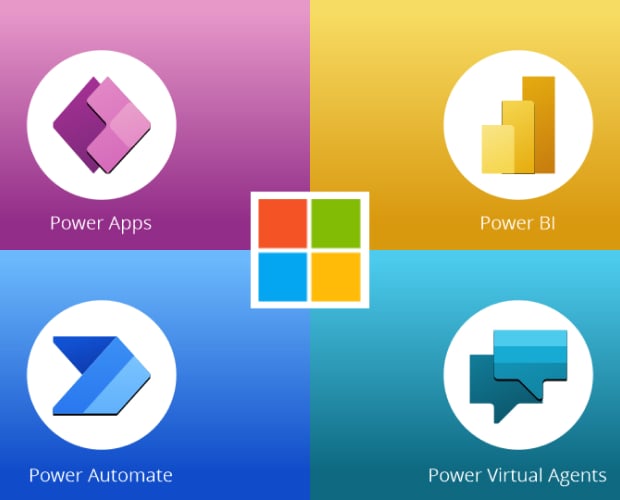
PL-100: Microsoft Power Platform App Maker
Prepare for your Microsoft examination with our training course. The PL-100 course contains a complete batch of videos that will provide you with profound and thorough knowledge related to Microsoft certification exam. Pass the Microsoft PL-100 test with flying colors.
Curriculum For This Course
-
1. Introduction to the Power Platform5m
-
1. Licensing for Power Apps6m
-
2. Signing up for Power Apps per user plan3m
-
3. Signing up for Power Apps Developer Plan2m
-
4. Why do I need a Work email address? And how can I get one, if I don't have it?7m
-
5. Different types of environments, and creation options7m
-
6. Create a Common Data Service database, and sample data9m
-
1. 347m
-
2. Saving my Power App3m
-
3. 34, 352m
-
4. 365m
-
5. Formatting the label component9m
-
6. Practice Activity Number 1 - The Solution5m
-
1. 367m
-
2. 374m
-
5. Adding rectangles and Adding New Items5m
-
6. Sorting and refreshing our gallery, and Deleting Items5m
-
7. Practice Activity Number 2 - The Solution10m
-
1. 1-43m
-
2. 13-155m
-
3. 419m
-
6. 4210m
-
9. Practice Activity Number 3 - The Solution6m
-
1. 3613m
-
2. Practice Activity Number 4 - The Solution11m
-
3. 377m
-
5. Practice Activity Number 5 - The Solution6m
-
1. 367m
-
2. 3811m
-
4. 376m
-
5. Practice Activity Number 6 - The Solution12m
-
1. Creating a basic calculator7m
-
2. 406m
-
5. Practice Activity Number 7 - The Solution7m
-
1. 403m
-
2. 367m
-
3. 376m
-
4. 3910m
-
5. 314m
-
1. 387m
-
4. 98m
-
5. Practice Activity Number 8 - The Solution7m
-
1. 254m
-
2. 268m
-
3. 18, 274m
-
5. Embed a canvas app on a form in a model-driven app - Unified Experience5m
-
6. Embed a canvas app on a form in a model-driven app - Classic Editor4m
-
7. Embed a newly-created canvas app on a form in a model-driven app8m
-
8. Practice Activity Number 9 - The Solution6m
-
1. 18, 288m
-
2. 284m
-
4. 437m
-
5. Practice Activity Number 10 - The Solution6m
-
1. Create model-driven charts8m
-
2. 658m
-
3. Using dashboards in our model-driven app6m
-
4. Using card forms in the Classic interface5m
-
5. Dashboard - enabling global filters7m
-
6. 456m
-
8. Practice Activity Number 11 - The Solution7m
-
1. Power Automate Licensing6m
-
2. 48-528m
-
5. 5310m
-
6. 556m
-
7. Practice Activity Number 12 - The Solution6m
-
1. 499m
-
2. 517m
-
3. 537m
-
4. 565m
-
5. Describe use cases for desktop flows7m
-
1. Create Dataverse classic workflows9m
-
2. 479m
-
4. Practice Activity Number 13 - The Solution7m
-
1. Describe Dataverse solutions5m
-
2. 22, 23, 25, 34, 486m
-
3. 244m
-
1. 466m
-
4. 32, 335m
-
1. 435m
-
2. 647m
-
1. Downloading Power BI and creating visualizations from Dataverse data5m
-
2. 606m
-
3. 634m
-
4. 618m
-
6. 666m
-
7. 626m
-
8. Practice Activity Number 14 - The Solution8m
-
1. 674m
-
2. 6810m
-
3. 698m
-
6. Practice Activity Number 15 - The Solution8m
-
1. Installing Microsoft Teams and opening Power Platform inside Microsoft Teams6m
-
2. 67m
-
3. 296m
-
4. 545m
-
5. 123m
-
6. 578m
-
7. 58, 598m
-
8. 555m
-
9. Practice Activity Number 16 - The Solution2m
-
1. 5, 7-104m
-
2. 16, 173m
-
3. 19-213m
-
4. 558m
-
1. Canvas Apps using Twitter: Configuring apps for offline access10m
-
2. Move individual apps and flows between environments11m
-
3. Export solutions6m
-
4. Support deployment of solutions to testing and production environments5m
-
5. Configure field security8m
-
6. Manage data security5m
-
7. Describe the testing process4m
-
8. Creating a test in Test Studio15m
-
9. Running and updating a test in Test Studio6m
-
10. Other Power Platform testing tools, including Monitor3m
-
11. Design for accessibility5m
-
12. Validate accessibility5m
-
13. Design security, privacy, and compliance3m
Hot Exams
Free Test Engine Player
How to open .dumpsarena Files
Use FREE DumpsArena Test Engine player to open .dumpsarena files
Our test engine player will always be free.

Satisfaction Guaranteed
98.4% DumpsArena users pass
Our team is dedicated to delivering top-quality exam practice questions. We proudly offer a hassle-free satisfaction guarantee.
Why choose DumpsArena?
23,812+
Satisfied Customers Since 2018
- Always Up-to-Date
- Accurate and Verified
- Free Regular Updates
- 24/7 Customer Support
- Instant Access to Downloads
Secure Experience
Guaranteed safe checkout.
At DumpsArena, your shopping security is our priority. We utilize high-security SSL encryption, ensuring that every purchase is 100% secure.