

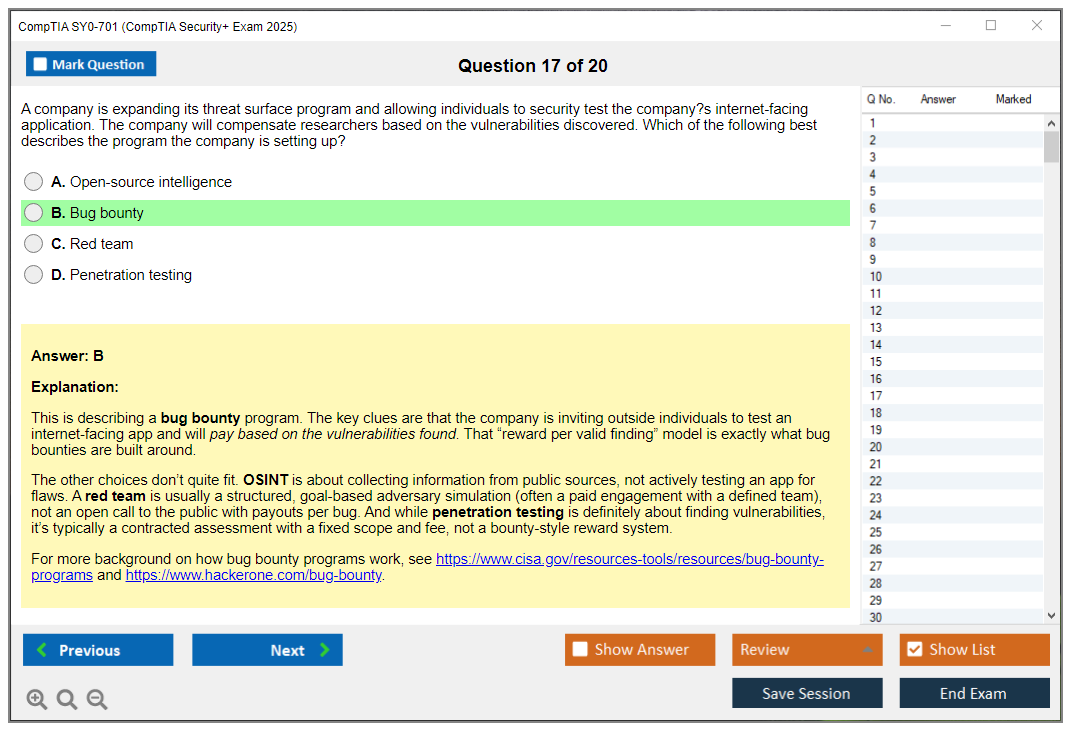
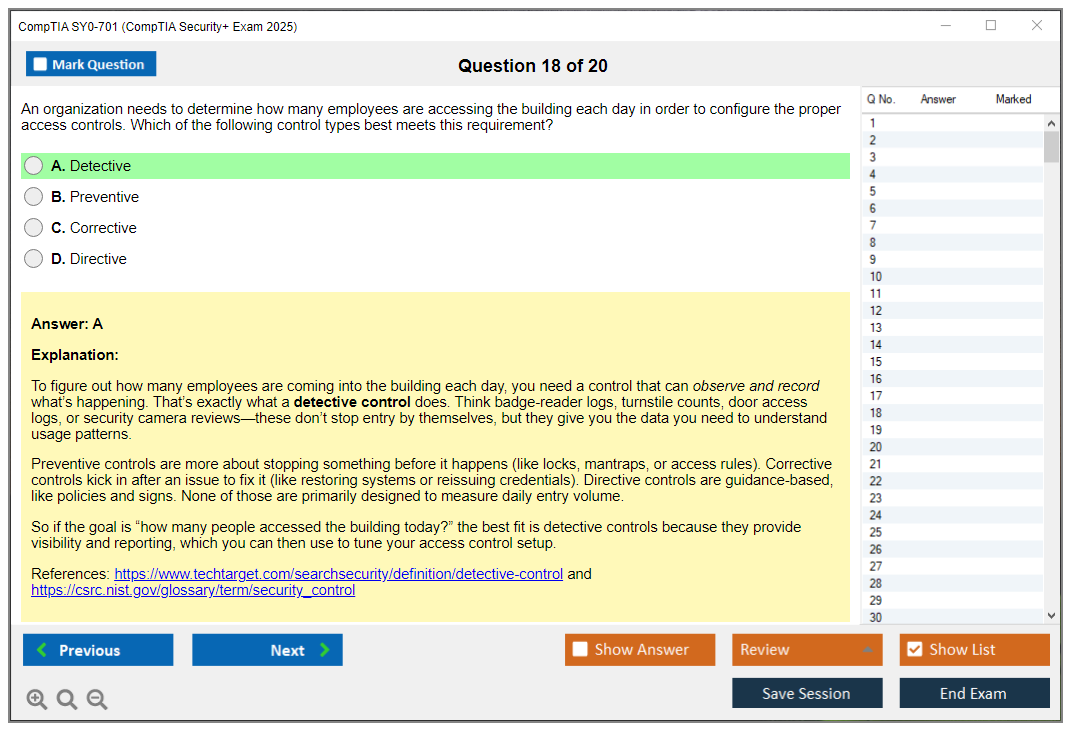
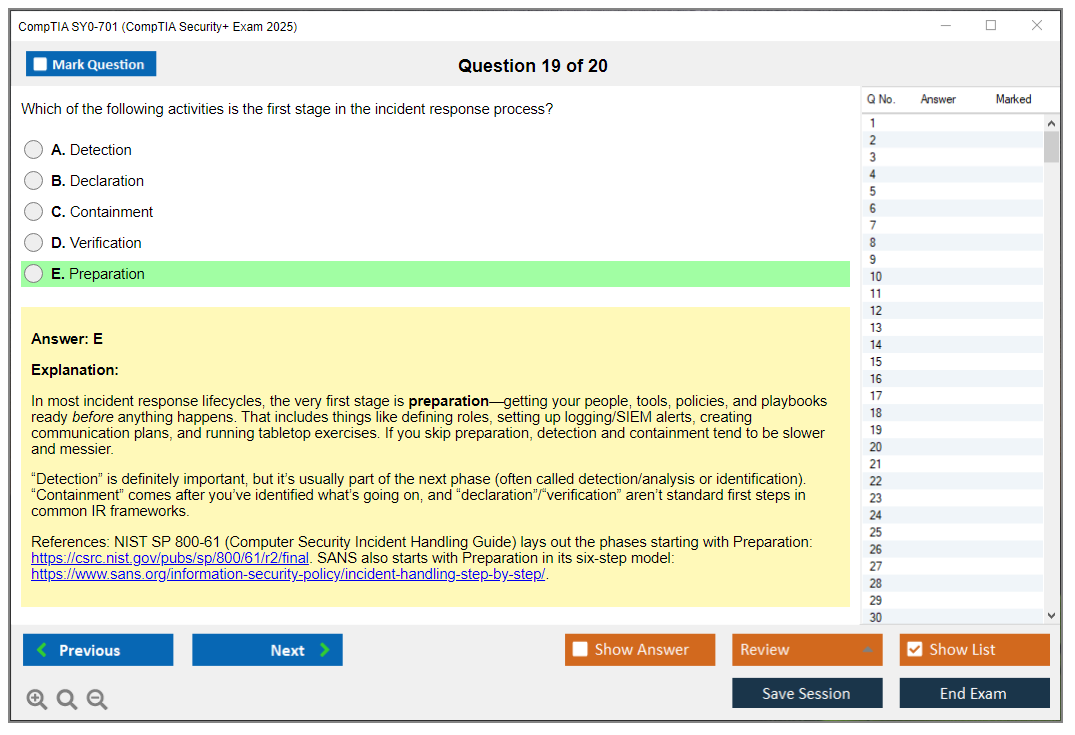
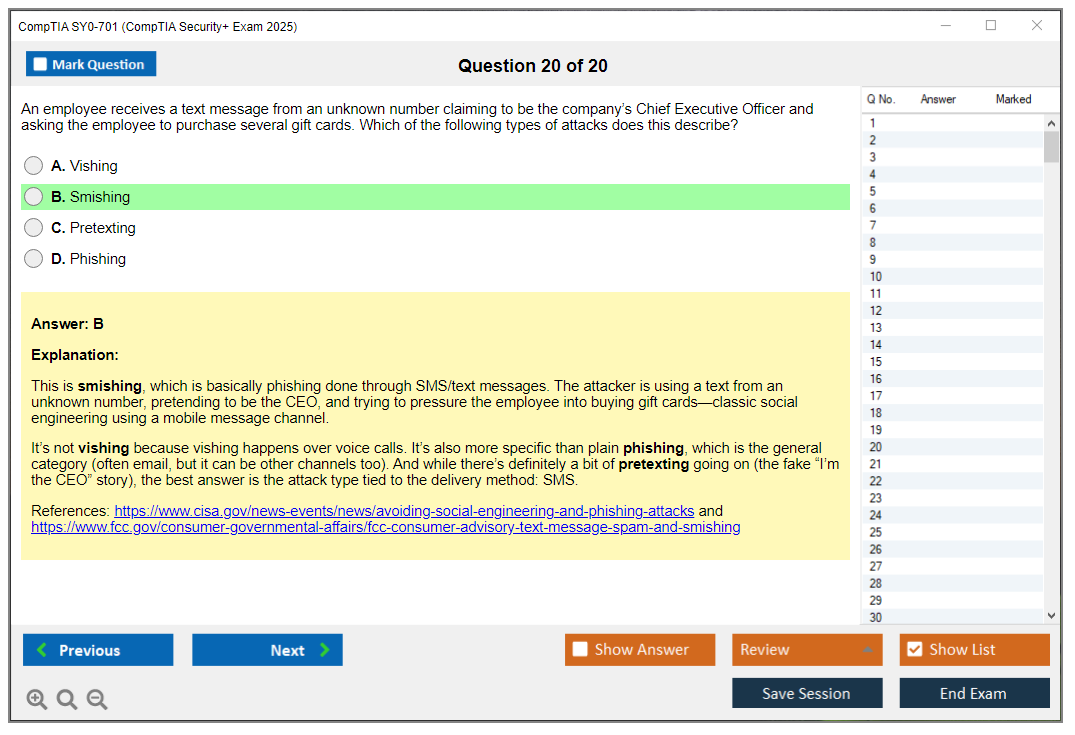
CompTIA Security+ SY0-701 Overview
What you're actually getting with this certification
So here's the deal. CompTIA Security+ SY0-701 is basically the baseline cybersecurity credential that really matters in this field. Vendor-neutral too, meaning you're not stuck learning only Cisco or Microsoft stuff but instead absorbing foundational security knowledge applicable everywhere. The cert validates you've got threat assessment down, risk mitigation, security operations, incident response, plus those governance frameworks keeping organizations from turning into tomorrow's breach headlines.
This thing carries weight. DoD Directive 8570.01-M approves it for IAT Level II positions, NSA recognizes it, GCHQ knows it exists, and honestly every HR department screening security roles has heard of it. I mean, when you're breaking into cybersecurity or moving up from general IT, this cert gets your resume past those automated filters.
The SY0-701 update changed some things
November 2023 happened. CompTIA dropped SY0-701, replacing SY0-601. They modernized content significantly, not gonna sugarcoat it. Way more focus now on cloud security, hybrid environments, zero trust architecture, stuff reflecting how companies actually operate today versus five years back. The threat space keeps shifting, and this exam version finally catches up.
Took SY0-601 previously? Cool. Starting fresh though? You're getting tested on current relevance, not outdated concepts nobody implements anymore.
The jobs this cert opens up
Security analyst positions dominate. SOC analyst roles, vulnerability analyst gigs, security engineer positions, these consistently list Security+ in requirements. You'll spot it for IT auditors, systems administrators handling security responsibilities, even entry-level penetration tester roles (though you'll probably want PT0-002 later for serious pen testing work).
Salary-wise? Security+ holders pull anywhere from $60,000 to $95,000 depending on location and what else you're bringing. Geographic location matters tons. Silicon Valley money hits different than midwest markets, obviously. Your experience level, additional certs, specializations all factor in, but honestly it's solid foundation proving you're not just some help desk person Googling error messages.
Who should actually take this exam
CompTIA recommends 2+ years networking or systems administration experience before attempting SY0-701. Not a hard requirement, but realistic. Career changers targeting cybersecurity can absolutely do this, but expect harder grinding on networking fundamentals if you're coming from outside IT. Military personnel need this for DoD compliance. That's a whole category.
Students finishing cybersecurity degree programs often take this as their first serious industry cert. If you've already knocked out N10-008 or have equivalent networking knowledge, you're in better shape. Starting completely cold? Maybe consider fundamentals first. Some people just dive straight in though. My cousin tried that route and spent three months drowning in subnetting tutorials before things clicked, so your mileage may vary.
Performance-based questions are the real challenge
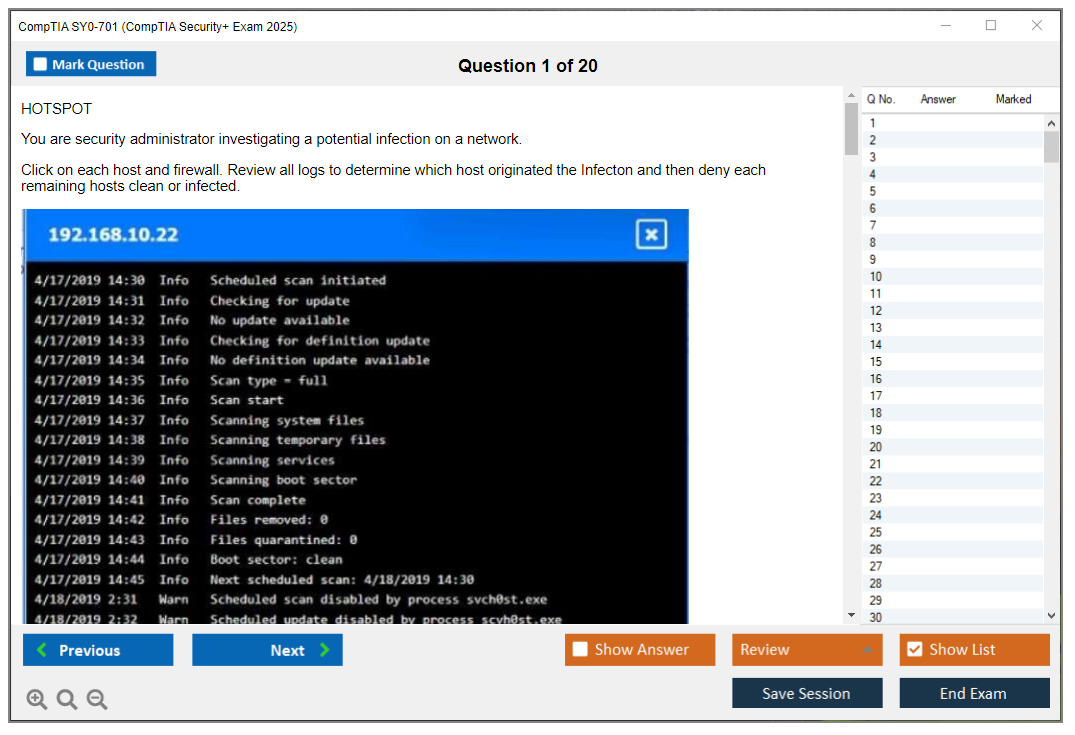
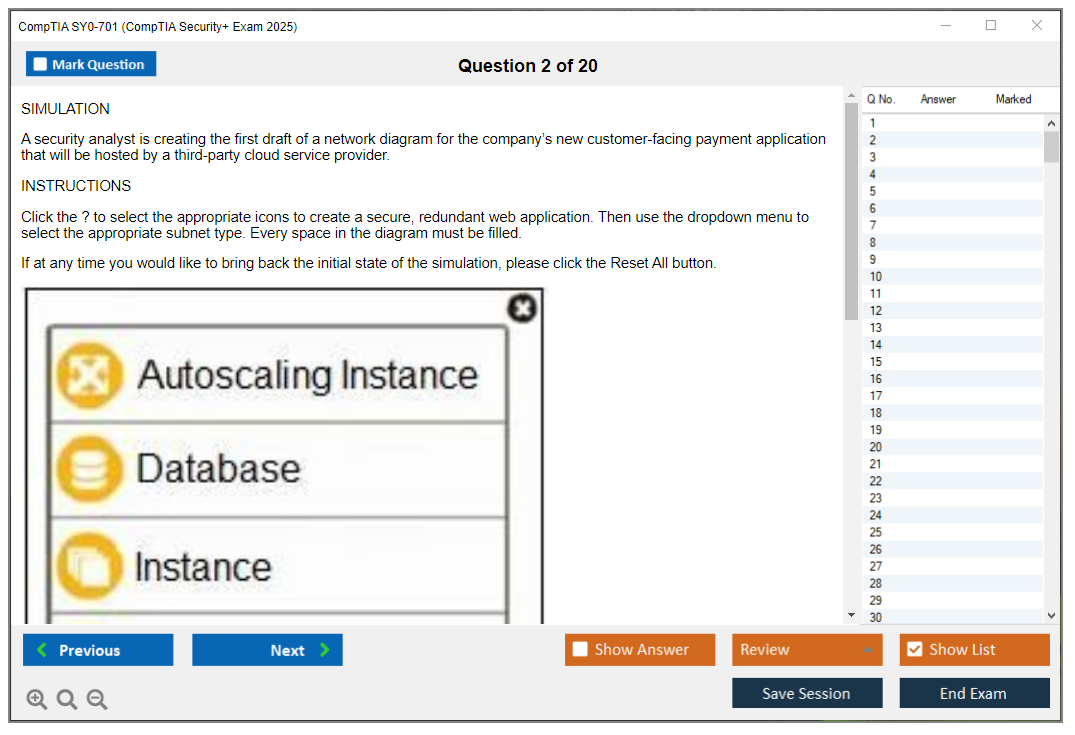
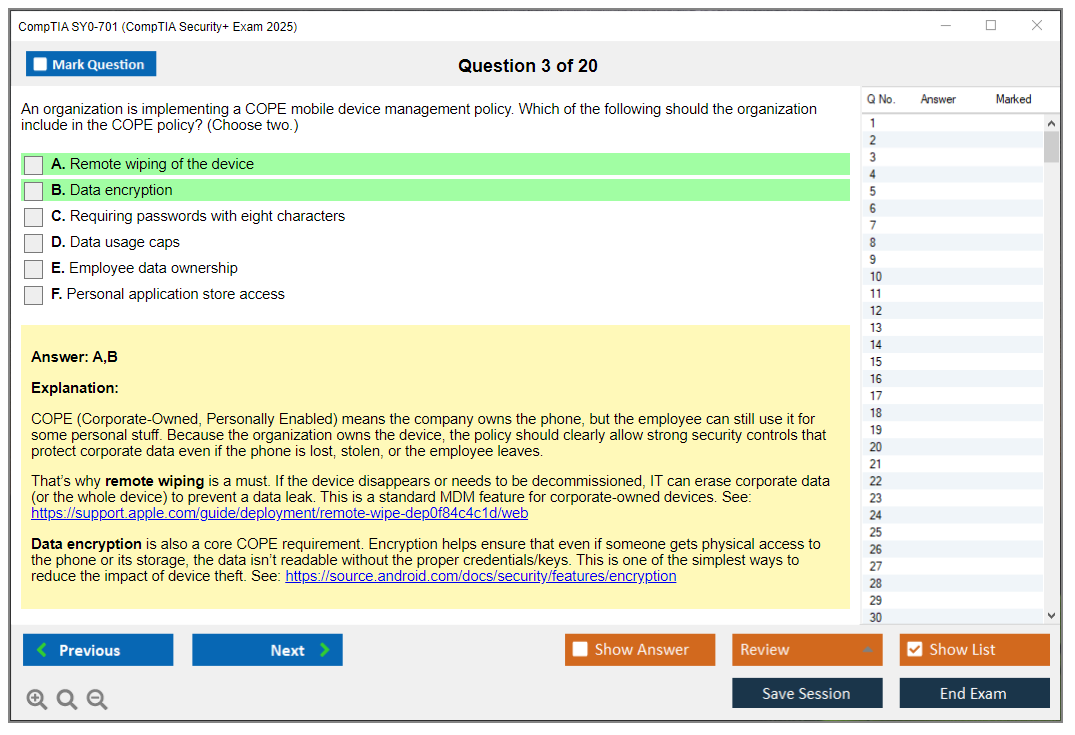
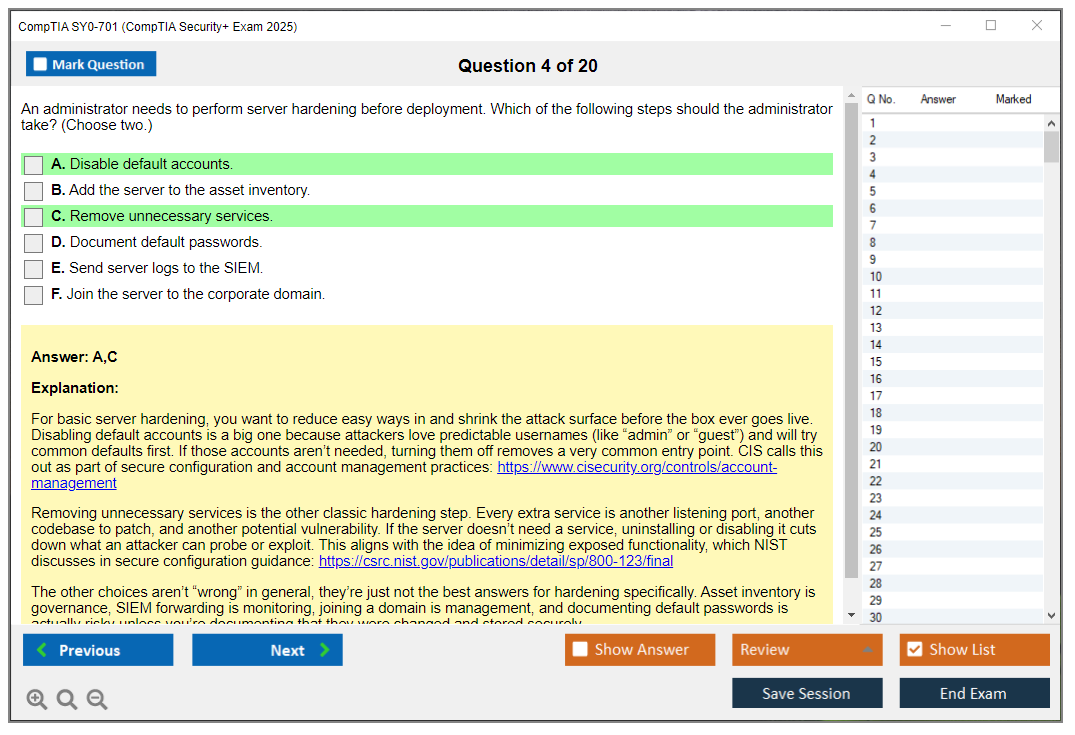
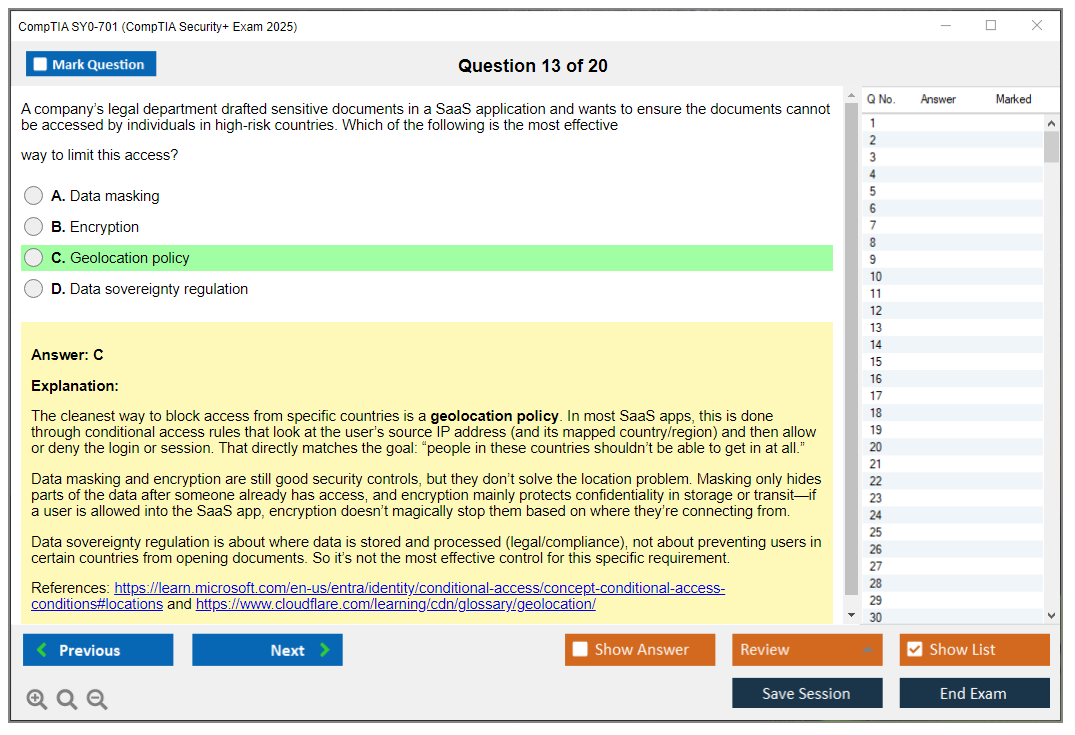
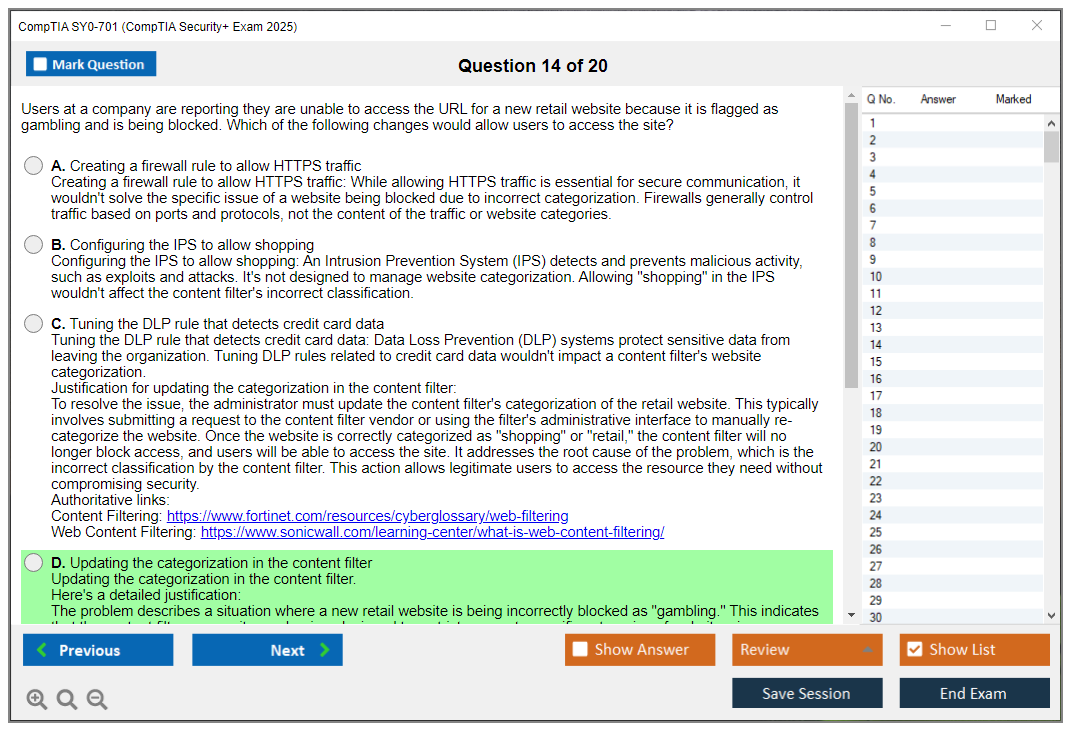
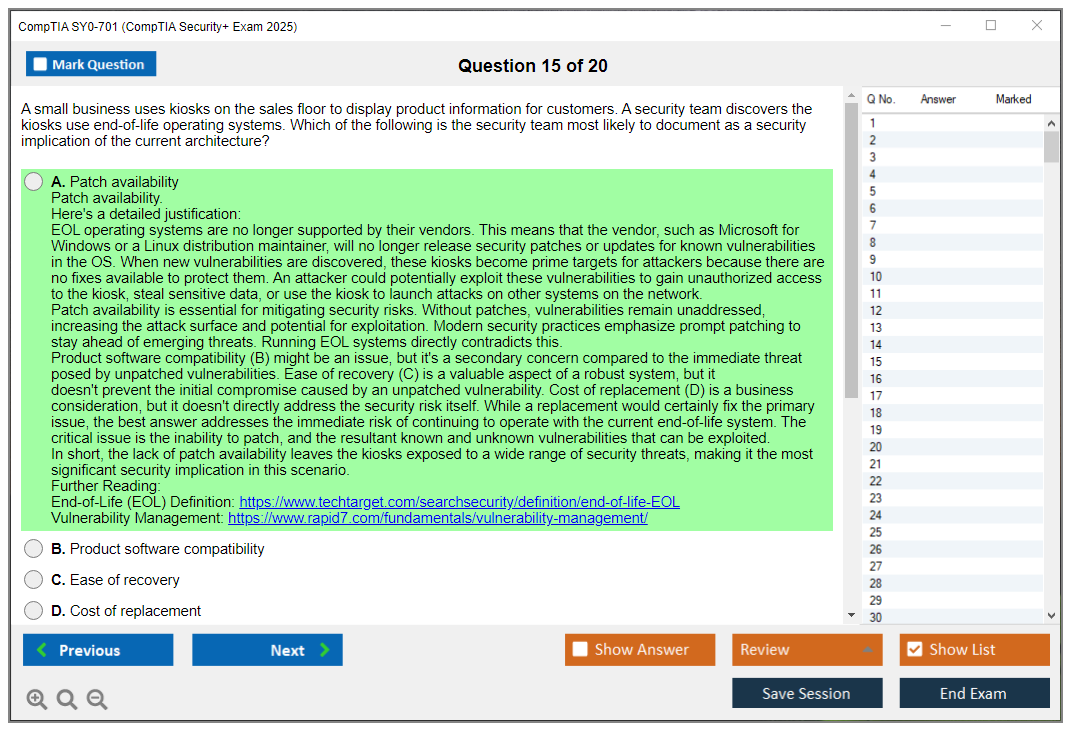
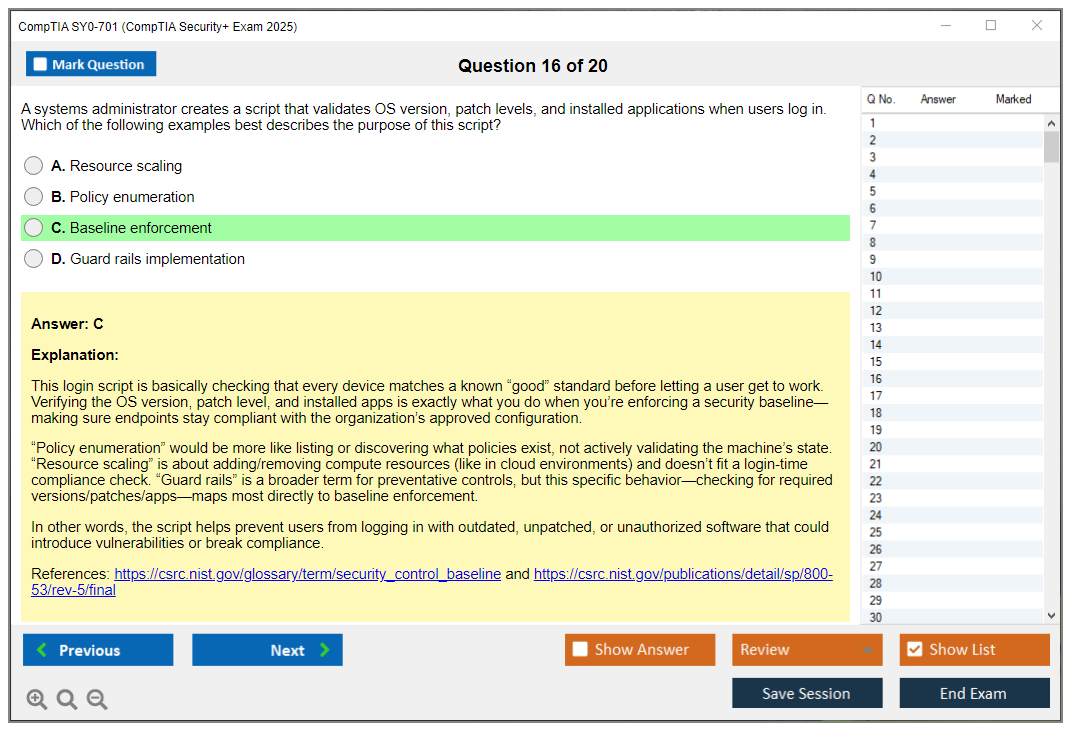
The exam includes simulation-based performance-based questions (PBQs in CompTIA-speak) and these aren't your typical multiple choice where you can logic your way through. You're configuring firewalls, analyzing logs, implementing security controls in simulated environments, testing whether you can actually do the work versus just memorize definitions.
Some people skip PBQs initially, come back after finishing multiple choice questions. Others tackle them first while their brain's fresh. The thing is, there's no universally right answer, but you need a strategy going in because these devour time.
The three-year validity clock
Your Security+ certification lasts three years, then you need continuing education activities to renew or retake the current exam version. CompTIA's CE program requires earning CEUs through training, higher-level certs, other approved activities. Not everyone loves this renewal requirement, but it keeps the credential relevant instead of becoming one of those certifications people earned in 2008 and never touched again.
You can actually renew Security+ by passing CS0-003 or CAS-004. Higher-level CompTIA certs automatically renew lower-level ones, which is the stackable credential pathway CompTIA designed, and honestly it makes sense if you're planning continued advancement.
Academic and industry recognition
Universities accept Security+ for course credit at loads of institutions. Cybersecurity programs integrate it into curriculum worldwide. From an industry framework perspective, content maps to NIST NICE Framework work roles and ISO/IEC standards. It's not CompTIA randomly making up topics. Wait, I should clarify. The exam fits with what security frameworks actually require.
Job posting analysis consistently shows Security+ in the top 10 most requested cybersecurity certifications. Employers know what it means. That matters more than having some obscure cert nobody's heard of, right? The exam's available in English with select other languages through Pearson VUE, though you should verify current options before registering.
This cert proves foundational security understanding across domains. Whether you're validating existing knowledge or building new skills, SY0-701 carries weight translating directly to job opportunities and career progression in cybersecurity roles.
SY0-701 Exam Details: Format, Time, and Scoring
Quick SY0-701 overview (what you're signing up for)
CompTIA Security+ SY0-701 is the current Security+ exam for the CompTIA Security Plus certification, and honestly, it's designed around proving you can handle baseline security work in actual environments, not just memorize definitions. Think SOC analyst junior tasks, security admin basics, and "please don't break prod" change requests. That kind of stuff. It maps to the SY0-701 exam objectives, which are split into domains and weighting, so your study plan really should follow that instead of whatever random YouTube playlists show up first. I mean, those playlists have their place, but the official objectives are what the test writers actually use.
Who should take it? Newer IT folks. Help desk techs trying to break out. Junior sysadmins. People pivoting into security who need a vendor-neutral credential that HR actually recognizes. Also, if you're in a role where you touch IAM, logs, endpoint controls, or network segmentation even a little, this exam's a nice forcing function to learn what you keep hand-waving. Or pretending to understand in meetings.
What the exam actually looks like on test day
Security+ exam format and number of questions is the first thing people stress about, and it's pretty straightforward. You'll see a maximum of 90 questions in one sitting, mixing multiple-choice, multiple-select, and performance-based questions (PBQs). The exam's linear, not computer-adaptive testing (CAT), so you're not getting "punished" with harder items because you're doing well. No early exit either. You sit for the full run.
90 minutes.
That's it.
No extra buffer unless you qualify for an accommodation, so time management becomes the real boss fight here. CompTIA likes scenario wording that makes you reread the question twice. Sometimes three times if you're caffeinated wrong.
PBQs are usually 4 to 6 items, and they're the closest thing you'll get to hands-on work inside a controlled interface. Look, the thing is, these performance-based questions (PBQs) can include firewall rule configuration, wireless security setup, log analysis, certificate management, access control implementation, and network segmentation tasks. Some are "set these dropdowns correctly" easy. Others are "here's a console and a broken config, fix it" annoying, and the annoying ones can eat ten minutes if you let them spiral.
PBQ mechanics (and why they feel weird)
The PBQ interface navigation's its own mini-skill. You might get drag-and-drop, point-and-click config panels, dropdown menus, text entry fields, or a virtual command-line interface. Half the battle's not fighting the UI. If a PBQ gives you a virtual firewall table, don't overthink it: identify source, destination, ports, action, and order of operations. Then implement the minimum rules that satisfy the prompt.
One more thing people debate: partial credit possibility. CompTIA doesn't officially confirm how partial credit works, but in practice some PBQs sure feel like you can get points for partially correct configurations. Like you nailed the ACL direction and ports but missed one host. So don't leave PBQs blank just because you can't finish perfectly. Put something sane in place. Bank whatever points exist.
Pacing that doesn't implode at minute 82
My favorite time allocation strategy's boring but it works. Plan roughly 1 to 1.5 minutes per multiple-choice question and 5 to 8 minutes per PBQ. Keep 10 to 15 minutes reserved for final review of flagged questions. That last review window matters because you will misread at least one "BEST" or "FIRST" prompt, and you'll want time to catch it without panic-clicking.
A practical flow: skim the PBQs first, answer the ones you instantly understand, then flag the rest and move on. Getting stuck early's how people lose easy multiple-choice points later. Then run the multiple-choice section fast, flag anything that feels like a coin flip, and only come back after you've built a points base. Not gonna lie, this feels counterintuitive the first time you do it, but it keeps your brain from overheating.
Randomization, review tools, and what you can't do
Question randomization's real.
Your exam's pulled from a large item pool, so you'll get a unique combination while still matching the same domain coverage and difficulty targets. That's why memorizing one set of SY0-701 practice tests is risky. Use practice questions to learn patterns, not to "see the same items."
You do get question review functionality. There's a flag feature to mark questions for later and a review screen that shows answered, unanswered, and flagged items before submission. After you submit, though, there's no score preview option and no answer review. Final means final, and the exam moves straight into scoring.
Scoring, passing, and what the score means
The SY0-701 passing score's 750 on a scaled range of 100 to 900. People always ask what percent that is, and the honest answer's "it depends." Scaled scoring converts raw scores while accounting for question difficulty variations across different exam forms. Roughly, many candidates treat it like 75 to 80% correct, but don't get too attached to that number because PBQs and tougher items can shift the math.
Also, score validity for employment's simple. Employers treat a pass as a pass. Higher scaled scores don't unlock extra certification levels. Nobody's handing you a better job offer because you got an 820 instead of a 760.
Score report timing's friendly: you see a preliminary pass/fail right after you finish. The official score report usually lands in your Pearson VUE account within 24 to 48 hours. It includes pass/fail status, your scaled score, and a domain performance breakdown, but no question-level feedback. Which, I mean, kinda sucks for learning but that's how cert exams work.
Money, retakes, and the stuff people forget
How much does the SY0-701 exam cost? The SY0-701 exam cost's basically the voucher price, and it changes, so check CompTIA's store or authorized partners before you buy. Discounts exist. Student pricing, employer-paid vouchers, training bundles, and sometimes retake bundles. But the best deal's the one you can schedule soon enough that you don't "buy and drift."
Retake policy for failures: wait 14 days between the first and second attempt, 14 days between the second and third attempt, and after that there's no limit on total attempts. Beta exam scoring differences are a whole other thing, because betas can take 8 to 10 weeks to score while CompTIA validates item performance. If you're in a hurry for a job requirement, don't rely on a beta timeline.
Non-native English speakers may get an additional 30 minutes when testing in English, but verify eligibility with Pearson VUE. Accessibility accommodations are also available, like extended time, separate rooms, and screen readers, but you've gotta request them formally with documentation. Don't wait until the week of your exam.
One last gotcha: score transfer limitations. Passing SY0-601 doesn't convert to SY0-701. Versions don't mix. If the job posting says SY0-701, you take SY0-701.
Fast FAQ stuff people ask anyway
What are the SY0-701 exam objectives and domains? Download the official objectives PDF and study by SY0-701 domains and weighting, because that's where your points live.
Is Security+ SY0-701 hard for beginners? Security+ SY0-701 difficulty's manageable if you've got basic networking and admin experience, but PBQs and long scenario questions can wreck you if your SY0-701 study materials are all passive reading.
How do you renew it? Security+ SY0-701 renewal requirements run through the CompTIA Continuing Education (CE) program, typically on a three-year cycle, using CEUs, CertMaster CE, or higher certs to renew.
SY0-701 Exam Cost and Voucher Options
What you'll actually pay for the Security+ exam
The baseline? $404 USD.
That's what you're dropping when you snag the standard exam voucher for the SY0-701 straight from CompTIA or Pearson VUE. Just one attempt at passing, nothing fancy beyond that. Same exact exam access with either vendor, though CompTIA's storefront actually lets you throw study materials into your cart alongside the voucher whereas Pearson VUE basically operates as an exam-only checkout situation. If you're comparison shopping between different package configurations or trying to figure out which combo gives you better value, honestly it's worth poking around both sites.
Here's where it gets messier though: that $404 figure isn't some locked-in global standard. Candidates sitting outside the US deal with currency conversion fluctuations, regional tax structures, and country-specific pricing schemas that CompTIA implements differently across markets. This can really shift what you actually end up paying. Sometimes you're looking at higher totals, occasionally you'll catch a lower rate depending on geographic location. Budgeting becomes this annoying moving target when the price morphs based on where you physically happen to be.
Student discounts and academic pricing
Students catch a break.
The academic voucher typically lands around $319 if you've got working .edu email credentials or can jump through CompTIA's Academic Store verification hoops proving current enrollment. That's roughly $85 staying in your pocket, which honestly covers a couple months of decent practice test platform subscriptions or a gently-used study guide off some resale site. I've watched people attempt gaming this discount system with fake enrollment documentation, but CompTIA actually runs verification checks on academic status, so don't burn time on workarounds if you're not legitimately enrolled somewhere accredited.
Military personnel and veterans also qualify for reduced voucher pricing through CompTIA's established partnerships with military support organizations scattered across different branches. Active duty service members, reservists, veterans with discharge papers, and even military spouses can tap into special pricing structures. Worth five minutes of research if you qualify under any of those categories since every dollar matters when you're stacking multiple certification attempts across your career timeline.
Employer programs and bulk purchasing
Got a job with training budgets?
Check with your employer's training department or HR before you swipe that credit card for personal purchase. Organizations that buy vouchers in bulk quantities often access volume discount pricing tiers that individual candidates purchasing solo simply can't reach through standard channels. Some companies maintain corporate training accounts with CompTIA that include voucher management portals, tracking dashboards, and negotiated pricing structures way below retail.
I've worked places that covered 100% of exam costs upfront. Other companies reimbursed only after you actually passed. Both scenarios beat paying out of pocket and hoping for the best.
Training partners with official CompTIA authorization offer bundled packages combining elements together. These typically merge instructor-led training sessions, study materials, practice exams, and the actual exam voucher at package pricing that's theoretically discounted compared to buying everything separately. Sometimes these bundles legitimately make sense if you're starting from absolute zero knowledge and really need that structured learning environment with deadlines and accountability. Other times you're basically paying for components you could source cheaper elsewhere or don't even need. Do actual math on what you specifically require versus what's bundled into their preset packages.
Retake bundles are worth considering
The retake bundle runs approximately $500-550.
You get one exam attempt plus one discounted retake voucher if your first attempt goes sideways and you bomb the test despite preparation. If you're relatively new to IT certification testing formats or feeling really shaky about whether you've mastered the material domains, this option's probably worth the extra hundred bucks. The SY0-701 exam isn't some casual walk in the park. Having that safety net really reduces the stress and test anxiety during your first attempt when you know a failure doesn't mean dropping another full $404 immediately.
Standalone retake vouchers purchased after failing cost the identical amount as the original exam voucher without any discount applied, so you're prepaying for psychological peace of mind and financial protection.
CompTIA also bundles exam vouchers with CertMaster Learn courseware modules and CertMaster Practice question banks at supposedly discounted package pricing. These combo packages can run anywhere from $600 to $900+ depending on which specific components they've thrown together. CertMaster Learn represents their official courseware platform, CertMaster Practice is their proprietary question bank system. Both are solid enough resources but not necessarily superior to third-party options available at similar price points from competing vendors.
Voucher expiration and refund policies
Your exam voucher stays valid for exactly 12 months from purchase date.
You absolutely need to schedule AND complete your actual exam before that expiration date arrives or you forfeit the entire voucher amount with zero refund. No extensions granted, no sob story exceptions. I've personally seen people buy vouchers thinking it'd create "motivation pressure" to study, then watch them let those vouchers expire completely unused because life circumstances changed, work got crazy, or they just procrastinated. Don't become that person burning $400+ for nothing.
CompTIA vouchers operate as generally non-refundable and non-transferable purchases under standard policy. Check their current refund policy language before clicking "buy" because they occasionally make exceptions for really difficult circumstances like medical emergencies or deployment situations, but absolutely don't count on flexibility as your backup plan. If you're feeling unsure about your preparation timeline or life stability over the next year, wait to purchase until you're actually ready to schedule within that 12-month window with realistic confidence.
Seasonal promotions and membership discounts
CompTIA runs promotional discount periods around major retail holidays.
Black Friday, New Year, and other seasonal events typically feature 10-20% off vouchers and bundle packages if you time your purchase right. If you're planning ahead and not in some desperate rush because your current job requires certification by next month, waiting for these periodic sales can save you $40-80 pretty easily without any real sacrifice. Their email marketing list announces these sales events, though honestly the deals aren't always that amazing compared to what authorized training partner bundles offer year-round.
CompTIA membership pricing provides ongoing percentage discounts on exams, certification renewals, and various learning resources scattered across their platform. If you're planning to pursue multiple CompTIA certifications in sequence like Network+ or CySA+ over the next couple years, actually evaluate whether the upfront membership cost really saves you money versus just buying individual vouchers as needed.
For one-and-done certification seekers who just want Security+ and nothing else from CompTIA's catalog, membership probably doesn't make financial sense when you run the numbers. I mean, unless you're also planning to use their study materials heavily, but even then the math gets fuzzy. Some people swear by the membership. Others think it's just another subscription trying to nickel-and-dime you when you could get the same results buying strategically.
Payment options and tax considerations
Standard stuff here.
They accept major credit cards, PayPal accounts, purchase orders for corporate accounts with established credit, and wire transfers for international bulk purchases from overseas organizations. Pretty conventional payment processing.
One thing people consistently forget: exam fees might qualify as tax-deductible professional development expenses depending on your specific employment situation and how your accountant interprets current tax code. Keep your purchase receipt and talk to an actual tax professional about eligibility criteria and what documentation you'll need come filing season. I'm definitely not giving tax advice here, but it's worth asking about during your normal tax planning conversations.
SY0-701 Exam Objectives: Domains and Weighting
What this exam is really about
CompTIA Security+ SY0-701 is the current version of the CompTIA Security Plus certification exam, and honestly, it's basically CompTIA's way of checking whether you can talk security across a modern IT environment without freezing up when someone says "incident response" or "zero trust." It maps to entry level security roles, but also a lot of sysadmin, network admin, and help desk folks who're trying to pivot. Not magic. Still work.
Skills and job roles it lines up with
Think security analyst. Junior SOC. IT admin who owns patching, or the "security person" on a small team. You'll touch IAM, networking, cloud, governance, and ops. That mix is why the Security+ exam format and number of questions includes scenario items and performance-based questions (PBQs) that feel like small tasks, not trivia.
Who should take it
No official gatekeeping. If you're asking about Security+ SY0-701 prerequisites, CompTIA doesn't require anything. The thing is, you want basic networking, comfort reading logs, and the ability to reason through "what would you do next" when something breaks.
Format, time, and scoring basics
You get up to 90 questions, multiple choice plus PBQs, and 90 minutes. Fast. Uneven pacing. The SY0-701 passing score is 750 on a 100 to 900 scale, and CompTIA uses scaled scoring so two tests can feel different but still measure the same level. Weird at first, normal later.
Cost and vouchers (yes, it matters)
People always ask SY0-701 exam cost because it's not cheap, and I mean, pricing changes by region, but plan on paying full price unless you can grab a student discount, employer reimbursement, or a training bundle. Retakes cost too, so build a plan and don't "wing it." If you want extra question reps, I've seen folks pair their main course with a cheap pack like SY0-701 Practice Exam Questions Pack to keep pressure on weak areas.
Get the official objectives first
CompTIA publishes an official SY0-701 exam objectives PDF for free on their website. Not gonna lie, it's the one document that stops you from studying random internet topics for three weeks. It's a checklist. It's also how you verify your SY0-701 study materials are actually on version SY0-701, not leftover SY0-601 content that quietly misses newer stuff.
Domains and weighting (the part everyone should memorize)
Here's the SY0-701 domains and weighting split. You should plan your study time around it:
- Domain 1.0 General Security Concepts (12%)
- Domain 2.0 Threats, Vulnerabilities & Mitigations (22%)
- Domain 3.0 Security Architecture (18%)
- Domain 4.0 Security Operations (28%)
- Domain 5.0 Security Program Management & Oversight (20%)
I'll explain the big two in detail because that's where most people feel the Security+ SY0-701 difficulty. I'll mention the others a bit more casually so you still know what's inside them.
Domain 1.0: the foundations that show up everywhere (12%)
This domain is the "language" of the exam. Security controls, the CIA triad, non-repudiation, and the AAA framework (authentication, authorization, accounting). You'll see gap analysis and zero trust principles, plus physical security measures that people forget about until a question asks about mantraps or badge access.
Also in here: deception tech like honeypots and honeynets. Authentication methods like MFA, biometrics, and tokens. Authorization models like DAC, MAC, RBAC, ABAC. Encryption fundamentals (symmetric vs asymmetric, hashing). Short domain. Sneaky impact.
Domain 2.0: threats and mitigation thinking (22%)
This is where CompTIA tests whether you can identify what's happening and pick the best response, and honestly the questions tend to be wordy because they mix threat actor motivation with attack path with "what control would've reduced this," all in one scenario that reads like a ticket someone dropped on your desk at 4:55pm. Covers threat actors, social engineering, malware types, vulnerability identification, threat intel sources, and penetration testing concepts.
Attack categories matter. Application attacks like injection, XSS, CSRF, and buffer overflow. Network attacks like DoS/DDoS, MitM, DNS poisoning, ARP poisoning. Wireless attacks like evil twin, rogue AP, WPS attacks, deauthentication. Know what each one looks like in plain English. Not the RFC definition, just the actual behavior you'd see.
Vulnerability concepts are a must. CVE is the naming system, CVSS is the scoring model, scanning vs pen testing isn't the same thing, and patch management is always the "boring" answer that's still correct. If you're drilling questions, SY0-701 practice tests help here because repetition trains your pattern recognition. Something like SY0-701 Practice Exam Questions Pack can be a quick way to force yourself through more "identify the attack" scenarios.
Domain 3.0: architecture and design choices (18%)
Secure network design gets tested here. Segmentation, VPN tech, load balancing, NAC, and secure app development basics. Infrastructure security includes firewall types (packet-filtering, stateful, proxy, NGFW), IDS/IPS placements, DMZ and screened subnet designs, jump servers, and out-of-band management.
Cloud and virtualization show up a lot now. You need IaaS/PaaS/SaaS responsibility boundaries, public vs private vs hybrid vs community, container security, VM escape prevention, and CASB.
Crypto lives here too. PKI components (CA, RA, CRL, OCSP), cert lifecycle, TLS/SSL, IPSec, SSH, plus key management and common crypto attacks.
Domain 4.0: operations, logs, and incident response (28%)
This is the biggest domain. It's the most "job-like." Monitoring tools, SIEM, log aggregation, alerting, baseline deviation detection, and SOAR. You need to recognize log sources and what they're good for.
Incident response is core: preparation, identification, containment, eradication, recovery, lessons learned. Team roles, chain of custody and evidence handling, communication procedures. Expect PBQs here.
Data security also lands in ops: classification, DLP, sanitization (clearing, purging, destroying), backups (full, incremental, differential), retention rules. Vulnerability management includes scan cadence, scope, false positives/negatives, prioritization, remediation workflows, and compensating controls when you can't patch. Some of this stuff overlaps with Domain 2.0, which is annoying until you realize CompTIA's just testing whether you can recognize the same concept from different angles.
Domain 5.0: governance and keeping the business out of trouble (20%)
Governance frameworks like NIST, ISO, CIS. Compliance like GDPR, HIPAA, PCI DSS, SOX. Policies like AUP, data handling, password policy, change management. Standards vs procedures vs guidelines. Audits and assessments.
Risk management: qualitative vs quantitative, treatment options (accept, avoid, transfer, mitigate), risk register, and BIA. Third-party risk includes vendor assessments, SLAs, MOUs, BPAs, and supply chain concerns. Supply chain stuff's gotten heavier lately, actually. They want you to know upstream vendor vulnerabilities can wreck your whole posture.
How to weight your study time
Domains 2.0 and 4.0 are 50% of the exam combined, so spend 50%+ of your time there. Still, questions blend domains, so you can't ignore the rest and hope for luck. Also, objectives change, so always use the current SY0-701 PDF, not SY0-601 notes someone posted years ago. For extra reps near the end, SY0-701 Practice Exam Questions Pack is an easy add-on if you're short on fresh questions.
Renewal quick note
Security+ renews on a three-year cycle through the CompTIA Continuing Education (CE) program, CertMaster CE, or higher certs. Track deadlines. Don't wait.
Security+ SY0-701 Prerequisites and Recommended Experience
No mandatory prerequisites, but..
Look, CompTIA doesn't officially require anything before you sit for the Security+ SY0-701. No prerequisite certs. No degree requirements. You could walk in off the street tomorrow with just the exam fee. But that's like saying you can drive stick shift without learning the clutch first. Sure, technically true. Not actually smart though.
CompTIA recommends Network+ or equivalent networking knowledge before attempting Security+. That recommendation exists for good reasons. The exam assumes you already understand how networks function at a fundamental level, and if you're googling what TCP/IP means during study sessions, you're gonna have a rough time.
Why two years of hands-on experience actually matters
The official recommendation? Two years or more of IT administration experience with some security focus. That's not CompTIA being picky about credentials. The SY0-701 exam format changed significantly from previous versions, with more scenario-based questions that test practical judgment rather than pure memorization, which means you need to know what would work in a production environment, not just what a textbook says should work in theory.
You can pass without that experience if you study hard enough. I mean, people do it. But real-world context makes everything click faster. When you've configured firewall rules, dealt with user account lockouts, or cleaned malware off a system, the exam scenarios make immediate sense. Without that background? You're translating abstract concepts into practical applications for the first time during a timed exam. Not ideal.
The networking fundamentals you need
You need solid TCP/IP model understanding before touching Security+ material. Common ports and protocols like HTTP/HTTPS (80/443), FTP (20/21), SSH (22), DNS (53), DHCP (67/68) should be second nature. If someone mentions port 3389 and you don't immediately think RDP, you're not ready yet.
Subnetting basics matter too. OSI model layers come up constantly. Network device functions like routers, switches, and firewalls need to make sense without conscious effort, because you'll be applying them under time pressure during scenario questions.
The N10-008 covers most of this networking groundwork if you need a structured path. IP addressing, network topologies, wireless standards, troubleshooting methodology. All that Network+ content creates the foundation Security+ builds on.
Operating system skills you'll use
Command-line proficiency in both Windows and Linux? Not optional anymore. Period. You need comfort with PowerShell and CMD on the Windows side, bash on the Linux side. File system permissions, user account management, service configuration. These topics appear in performance-based questions where you're expected to demonstrate knowledge, not just recognize the right answer from multiple choices.
Log file locations matter because incident response scenarios ask where you'd look for specific information. If you've never navigated /var/log/ on a Linux box or checked Windows Event Viewer during troubleshooting, those questions take longer to reason through under exam conditions.
Speaking of logs, I once watched a help desk tech spend twenty minutes looking for login failures in the wrong Windows log file entirely. Application instead of Security. The kinds of mistakes you make once in real life and never forget, which is exactly why hands-on experience saves you time during the exam.
Career changers face a longer timeline
If you're coming from outside IT entirely, plan on four to six months of study time minimum. Consider the 220-1101 and 220-1102 A+ exams first to build that foundational knowledge. Or at minimum, supplement your Security+ study materials with networking fundamentals courses before diving into security-specific content. Jumping straight to Security+ without IT background is possible but inefficient. You'll spend half your study time learning prerequisites instead of actual Security+ content, which wastes effort and money.
Military folks transitioning from IT roles (25B, IT, CTN, similar MOSs) typically have sufficient background already. Good news there. Your military training transcripts might even translate to academic credit that helps with degree programs later on.
Help desk experience provides unexpected advantages
Help desk work teaches troubleshooting methodology that transfers directly to security incident response in ways you wouldn't expect. Customer communication skills help you parse those wordy scenario questions. Experience with ticketing systems, password reset procedures, and basic malware removal gives you practical context for exam topics that abstract study can't replicate.
I've seen help desk techs with 18 months experience pass Security+ faster than network engineers with five years. Wait, that sounds backwards, right? But they understood the human element better, which matters more than people realize. The exam tests security thinking, not just technical specs or memorized definitions.
Programming knowledge: helpful, not required
You don't need to write code for Security+, thankfully. But understanding scripting concepts (variables, loops, conditionals) helps with automation topics and understanding attack vectors when they appear. When the exam describes a Python script an attacker used in a breach scenario, you need to understand what it's doing conceptually without getting lost in syntax.
Self-assessment: are you ready?
Download the official SY0-701 objectives PDF and review Domain 1.0. Be honest with yourself. If the terminology seems completely foreign, invest time in networking fundamentals before proceeding further. If you recognize most terms but couldn't explain them to someone else clearly? You're probably ready to start Security+ study now. If you could teach most of those concepts? You'll move through the material quickly.
The SY0-701 Practice Exam Questions Pack helps identify knowledge gaps early, letting you focus study time where it's needed most instead of wasting effort on areas you've already mastered. Practice questions reveal whether you're missing fundamental concepts or just need to refine exam-taking strategies and time management.
Realistic timelines by background
Experienced IT professionals with solid networking knowledge? Three to six weeks of intensive study typically works. Intermediate users with some IT exposure but gaps in knowledge? Plan eight to twelve weeks. Complete beginners? That four to six month timeline includes learning foundational material. Don't skip it, because you'll just fail the exam and waste money retaking it later. Academic pathway candidates should make sure coursework covers networking, operating systems, and basic security concepts before scheduling the exam date.
Cloud experience with AWS, Azure, or GCP? That helps with cloud security questions, though the exam covers cloud concepts at a conceptual level rather than platform-specific implementation details you'd use daily.
Security+ SY0-701 Difficulty Level and Common Challenges
what this exam actually proves
CompTIA Security+ SY0-701 is that "middle" security cert hiring managers recognize fast. It validates you can talk security across the stack, not just memorize malware names. Think junior security analyst, SOC trainee, sysadmin who got voluntold into security tasks, help desk folks trying to move up.
Look. It's broad. It's practical-ish. It's also very test-y.
If you're aiming for your first real security credential, this is the one most people start with. It maps well to entry-level roles and DoD-ish requirements. Security+ SY0-701 prerequisites aren't officially required, but CompTIA recommends a bit of IT experience. Honestly, if you've done 6 to 12 months of troubleshooting users, touching Active Directory, reading logs, and dealing with basic networking, you're in a decent spot.
Brand new to IT? Still possible. Just harder. More on that later.
format, timing, and scoring basics
The Security+ exam format and number of questions is up to about 90 questions. Mix of multiple choice and performance-based questions (PBQs), with 90 minutes on the clock. Not a ton of time. Some questions are quick. PBQs are not.
The SY0-701 passing score is 750 on a scaled score from 100 to 900. That doesn't mean 83 percent. CompTIA uses scaled scoring so one version of the exam isn't accidentally easier than another, and you don't really get to reverse engineer it during the test.
cost and voucher reality
People always ask, "How much does the CompTIA Security+ SY0-701 exam cost?" The SY0-701 exam cost is typically in the high $300s USD for a standard voucher, though pricing shifts by region and promos. Discounts exist. Student pricing. Employer training budgets. Sometimes bundles with a retake or labs.
Retake bundles can be worth it if you test anxious. Not gonna lie, the pressure of "one shot" makes people play worse than they actually know. I've watched people freeze up who could've answered half those questions while ordering lunch.
objectives and domains you're signing up for
"What are the SY0-701 exam objectives and domains?" Download the official SY0-701 exam objectives PDF from CompTIA. Do it early. Print it, annotate it, make it ugly. That doc's your contract with the exam.
You'll see SY0-701 domains and weighting across five buckets. This is where the difficulty sneaks up on people. The test doesn't politely separate topics. A scenario about a compromised SaaS account can pull in IAM, incident response, cloud controls, encryption choices, and policy stuff all at once. You're expected to pick the best answer, not just a "technically true" one.
Key high-yield areas: IAM and access control decisions, security operations and response, secure network design concepts, governance and risk language. The rest? You still need it, but those show up everywhere.
difficulty level: the honest rating
The overall Security+ SY0-701 difficulty is intermediate. More challenging than A+ or Network+, because Security+ expects you to think in tradeoffs and risk. Not just identify a port number. But it's still more accessible than CySA+, CASP+, or CISSP, where you're expected to already live and breathe security work.
If you've got hands-on IT time, you'll recognize a lot. If you don't? You'll feel like the exam's speaking in riddles. Short ones. Weird ones. Acronym ones.
why people struggle (and where most points get lost)
Candidates find SY0-701 challenging for four main reasons. It covers a ton of ground across five domains. Scenario-based questions demand critical thinking. PBQs test practical application. And it's acronym-heavy to an almost annoying degree.
Scenario questions are sneaky. They're often multi-paragraph, with details that matter, and they ask you to choose the best solution among plausible options. You need to weigh security requirements, risk impact, business constraints, and "what would be the normal best practice here" all at once. Clock keeps moving. You're second-guessing whether they meant confidentiality or integrity in that one sentence. Fun times.
PBQs are where people burn minutes. These aren't "remember the definition" items. PBQs require hands-on configuration thinking: interpreting logs, setting up access rules, matching controls to a design, responding to an incident workflow. Because they're time-consuming and technically demanding, they account for a disproportionate chunk of failures when someone runs out of time or guesses blindly at the end.
Then there's acronym overload. The exam includes a lot. You'll see endless short forms for protocols, identity stuff, encryption, governance, cloud, incident response. If you don't build a running glossary while studying, you'll waste brain cycles decoding letters instead of answering questions.
pass rate talk (with the asterisk)
CompTIA doesn't publish official pass rates. Industry estimates tend to float around a 60 to 70 percent first-attempt pass rate for prepared candidates with the recommended experience. Prepared is doing a lot of work in that sentence. People who "watched a course" but never did labs or SY0-701 practice tests usually aren't in that bucket.
study materials that actually help
For SY0-701 study materials, start with the objectives PDF and one solid course or book that matches SY0-701 specifically. Not SY0-601 leftovers. Then add practice questions. Lots.
If you only do two things deeply, do these. Build basic hands-on comfort: spin up a small home lab with a Windows VM, a Linux VM, and a router or firewall simulator if you can, then practice reading logs, setting permissions, and explaining what a control does in plain language. Second thing? Grind scenario practice. Take timed sets. Review why wrong answers are wrong. Keep an error log so you stop missing the same concept in different disguises.
Everything else helps too. Flashcards. Cheat sheets. Study groups. Casual mentions, but still useful.
test strategy and PBQ pacing
On test day, many folks flag PBQs and come back after knocking out multiple choice. PBQs can eat 10 to 15 minutes if you let them. If you're strong hands-on, you might do them first. Either way, have a plan. Don't freestyle it.
Also, read the last line first. Seriously. Many scenarios hide the real question until the end.
renewal and keeping it active
"How do you renew CompTIA Security+ (SY0-701) certification?" Security+ SY0-701 renewal requirements run through the CompTIA Continuing Education (CE) program. Security+ is valid for three years. You renew by earning CEUs, taking CertMaster CE, or earning a higher-level cert that qualifies. Track deadlines, pay the renewal fees on time, and don't wait until month 35 to remember any of this.
quick FAQ style answers
Is Security+ SY0-701 hard for beginners? Yes, mostly because of scenarios and PBQs. Not because the concepts are impossible.
What's the passing score? 750 scaled.
What should I study first? The objectives, then IAM and security operations, then practice scenarios until your brain stops arguing with every answer choice.
Conclusion
Wrapping up your SY0-701 path
Look, the CompTIA Security+ SY0-701 is one of those certs that actually matters. You're not just ticking boxes here. You're proving you understand modern security threats, risk management, and how to keep networks from turning into dumpster fires. The SY0-701 exam objectives cover everything from cryptography to incident response, and honestly? That's exactly what hiring managers want to see on your resume.
The passing score? 750 out of 900.
Sounds arbitrary but basically means you need around 83% accuracy. Not gonna lie, that's tougher than it looks when you're staring down performance-based questions that expect you to configure firewall rules or analyze logs instead of just picking A, B, C, or D. The Security+ SY0-701 difficulty ramps up fast if you skip hands-on practice. You need real-world exposure to these concepts, not just memorization. I've seen people with years of help desk experience still bomb these questions because they never actually touched a SIEM or set up ACLs themselves.
The thing is about SY0-701 study materials: there's a ton out there, but quality varies wildly. You've got your official CompTIA resources, third-party books, video courses, and practice exams. The SY0-701 exam cost runs around $392 (sometimes more depending on your region), so failing because you didn't prep properly is an expensive mistake. Most people underestimate how much time they need. Even if you've got the recommended two years of IT experience, you're still looking at 60-100 hours of focused study if you want to pass on the first attempt.
Prerequisites? Technically non-existent.
But let's be real. Walking in cold without networking fundamentals or some system admin background is setting yourself up for pain. You don't need Network+ certified on paper, but you better understand TCP/IP, subnetting, and basic routing before tackling security architecture questions. Remember the Security+ SY0-701 renewal requirements kick in three years after you pass, so budget for 50 continuing education units through the CompTIA Continuing Education program or you'll be retaking the whole thing.
Your best move right now? Get serious about SY0-701 practice tests. I'm talking hundreds of questions that mirror the actual exam format and number of questions: 90 items in 90 minutes, including those brutal PBQs. Practice until the SY0-701 domains and weighting become second nature. General Security Concepts (12%), Threats (22%), Architecture (18%), Operations (28%), and Program Management (20%). You need to know where your weak spots are before test day, not during.
If you're ready to validate your readiness, check out the SY0-701 Practice Exam Questions Pack built to expose gaps in your knowledge across all five domains with scenario-based questions that feel like the real thing. Don't walk into that Pearson VUE center (or fire up that online proctoring session) until you're consistently scoring 85%+ on full-length practice exams. Your career deserves that level of preparation.
