

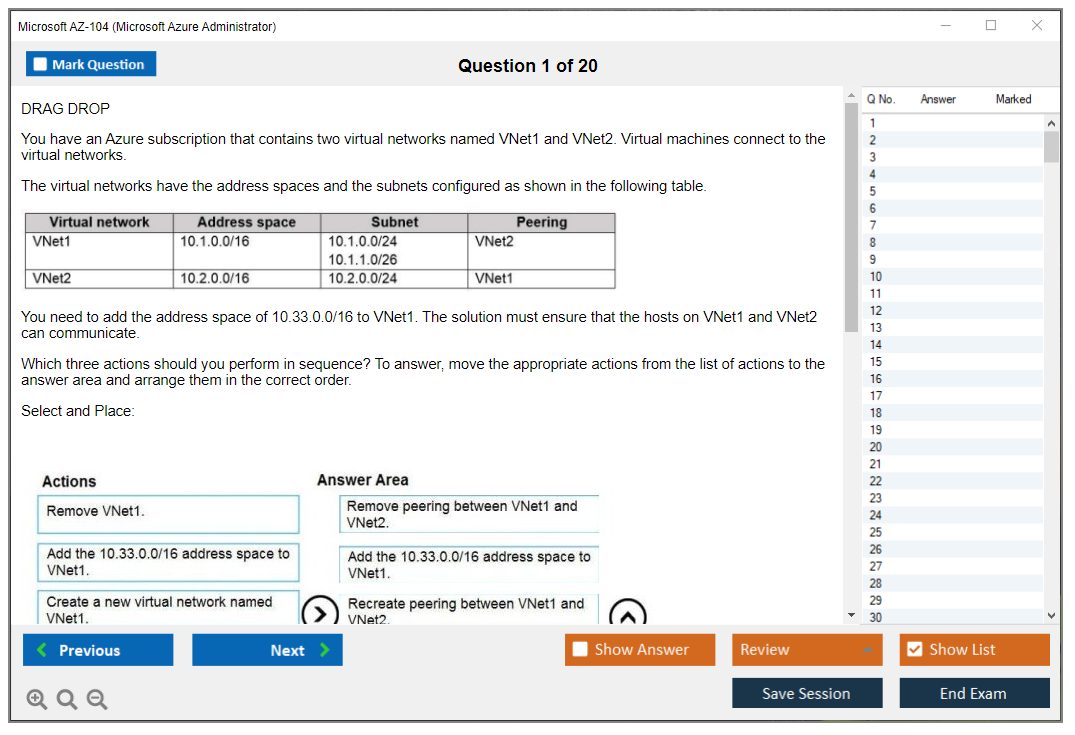
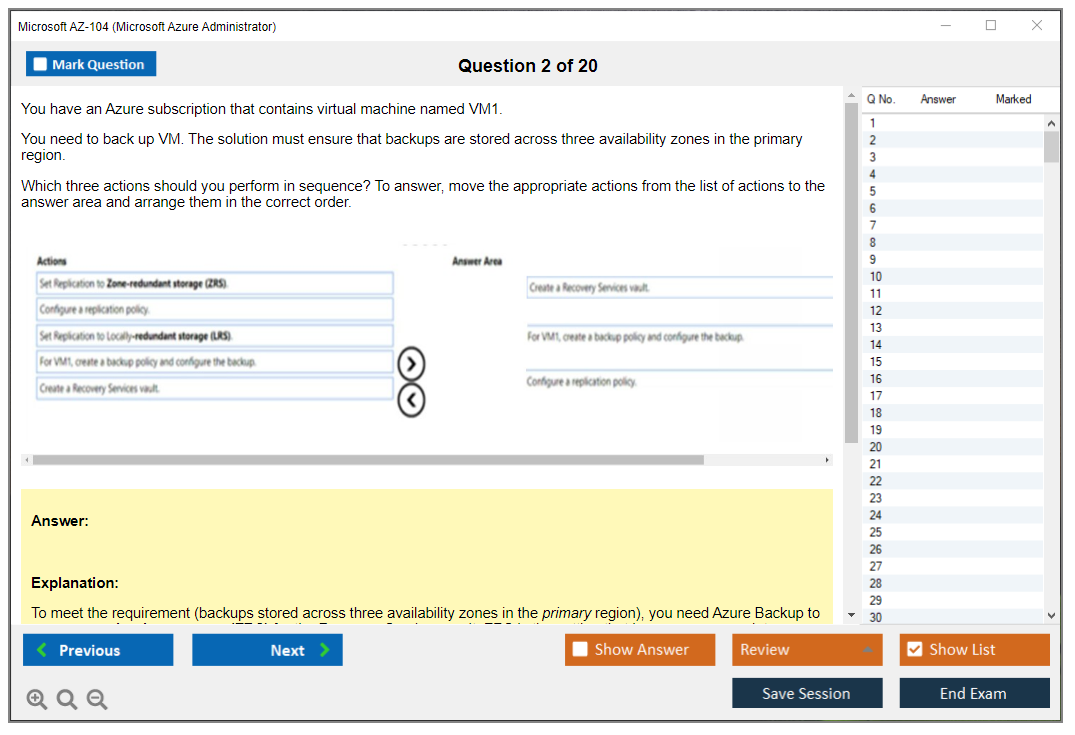
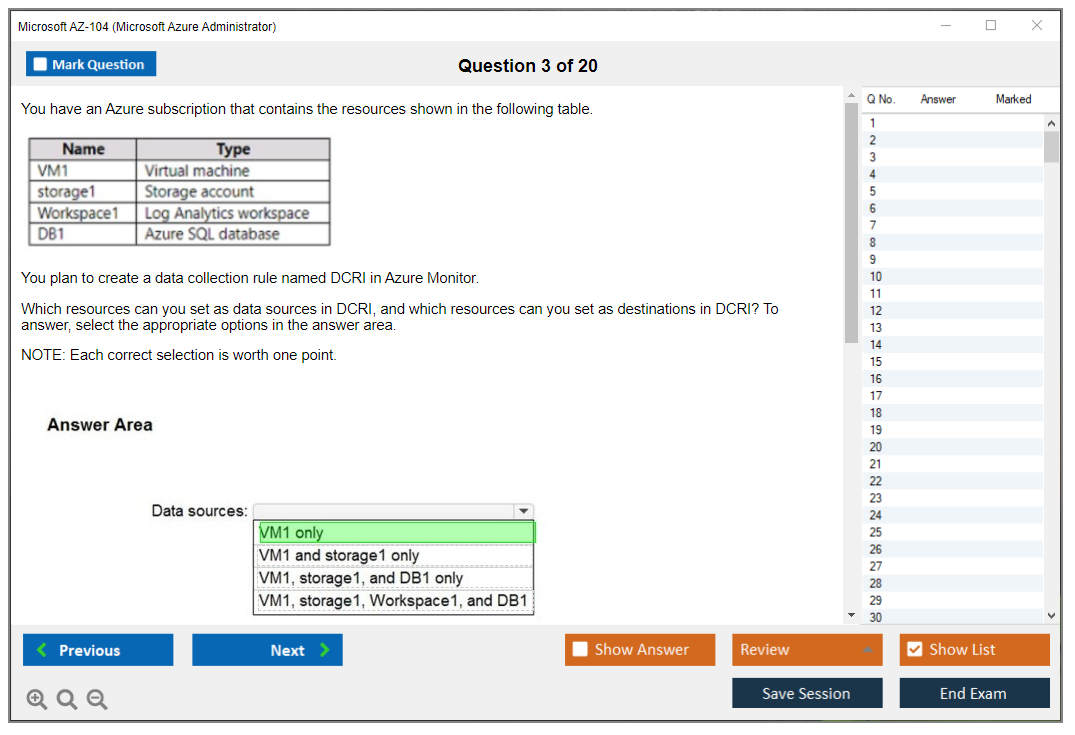
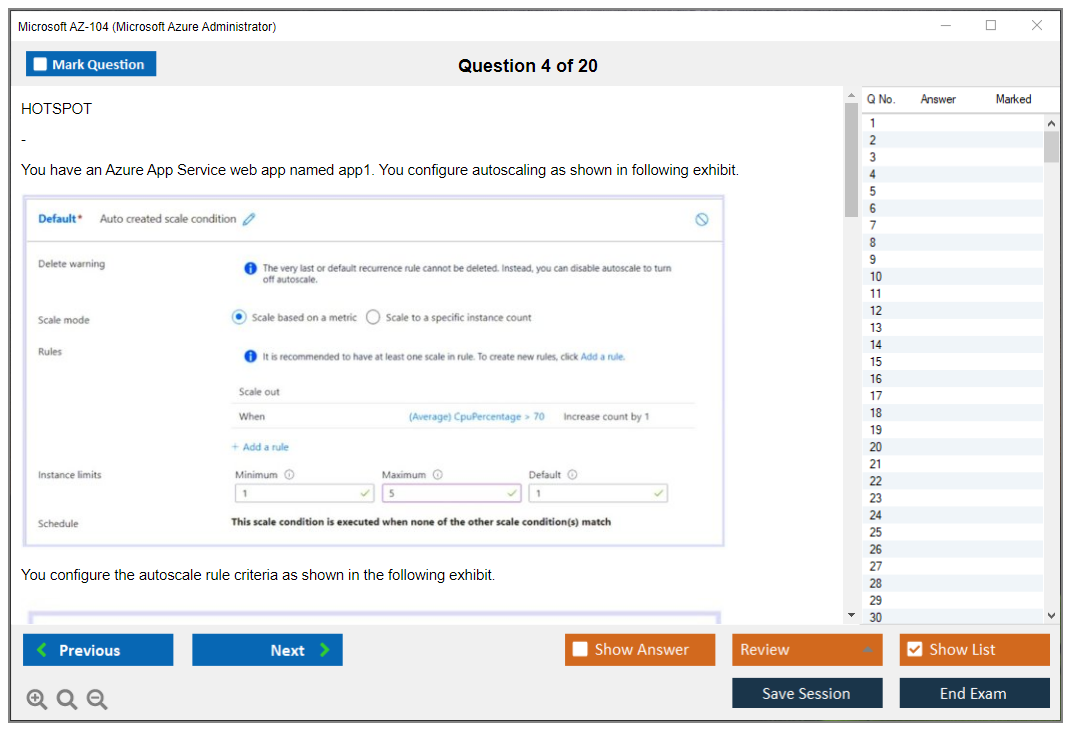
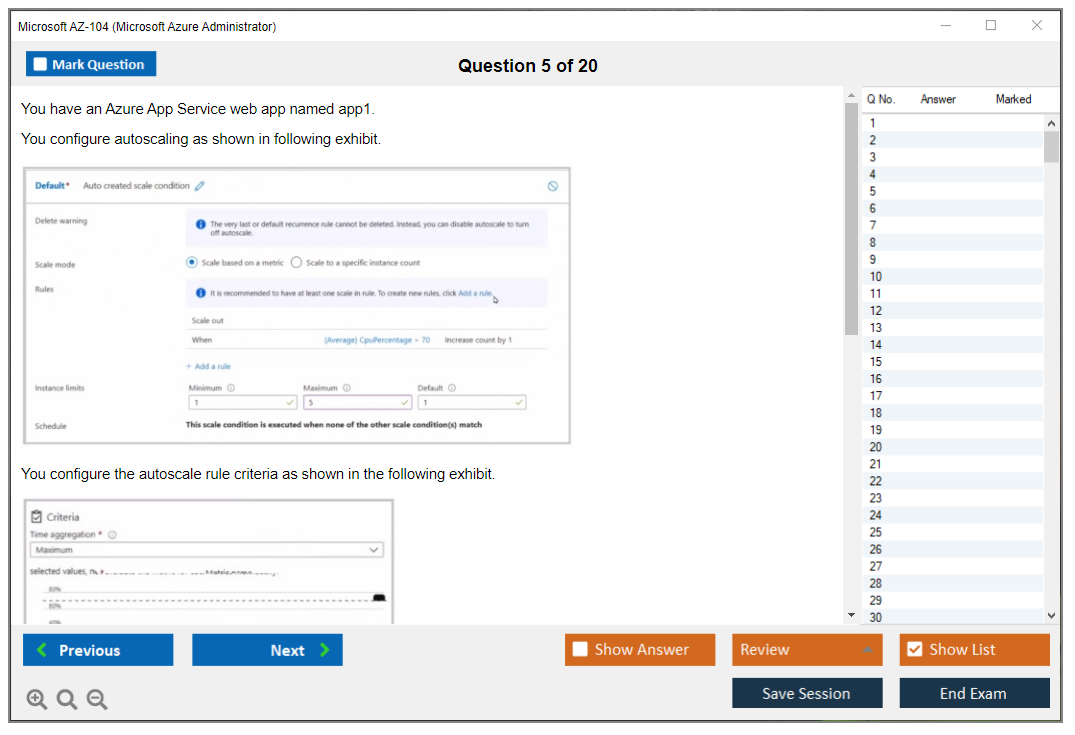
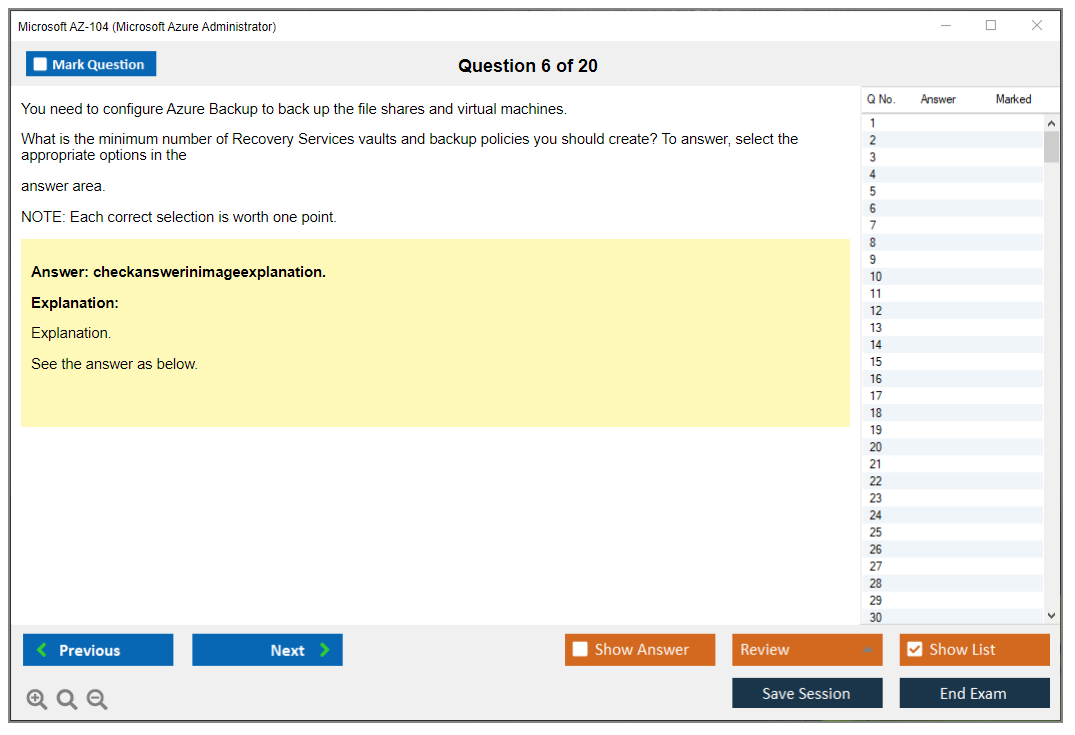
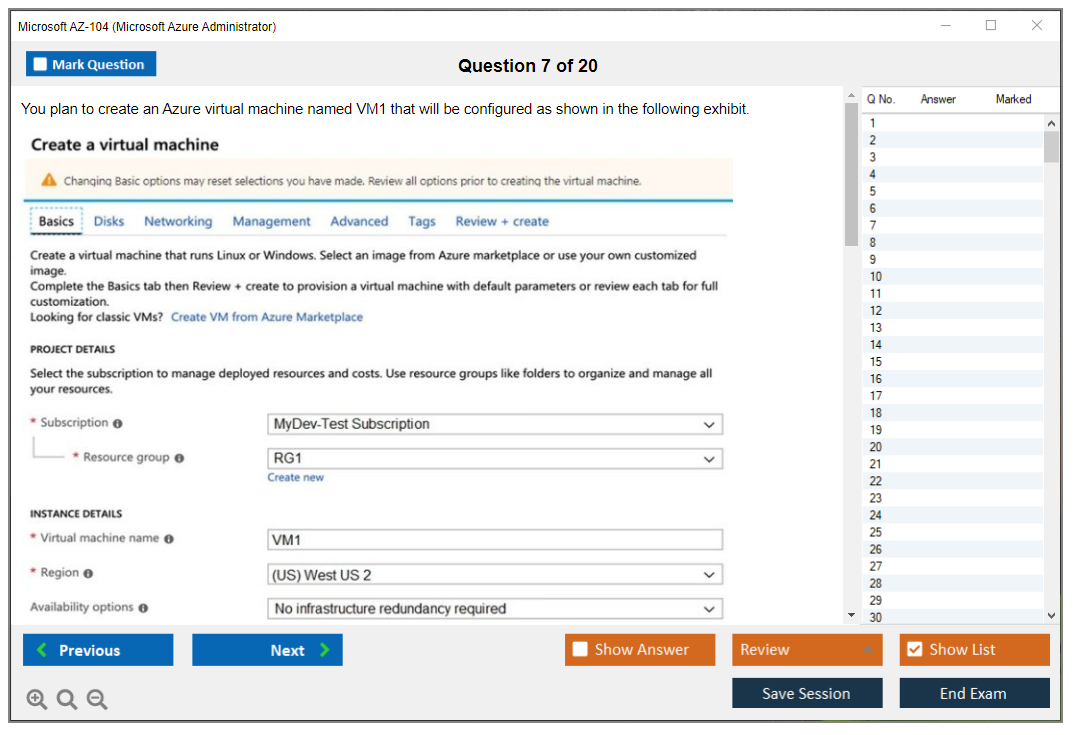
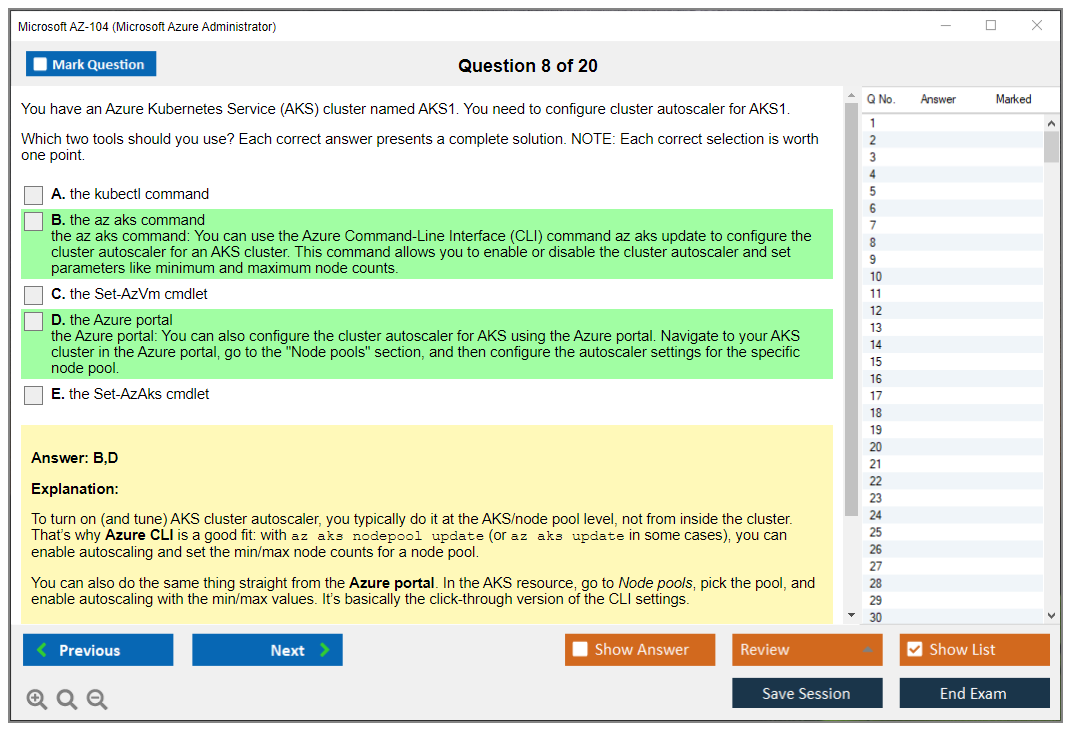
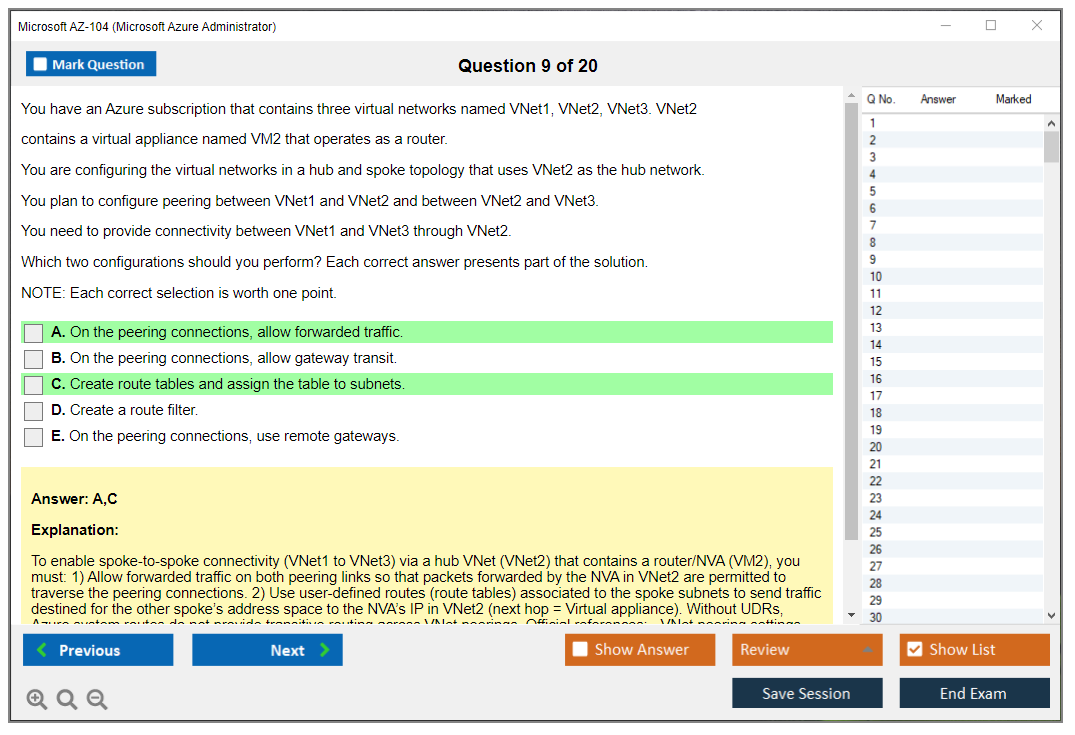
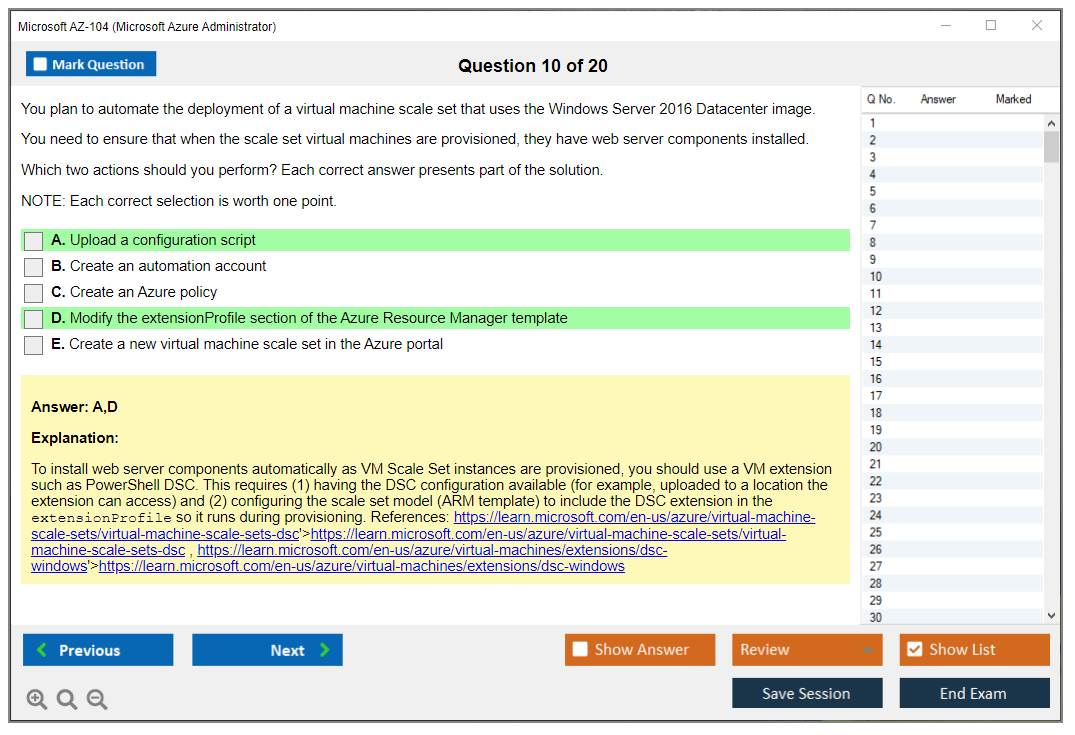
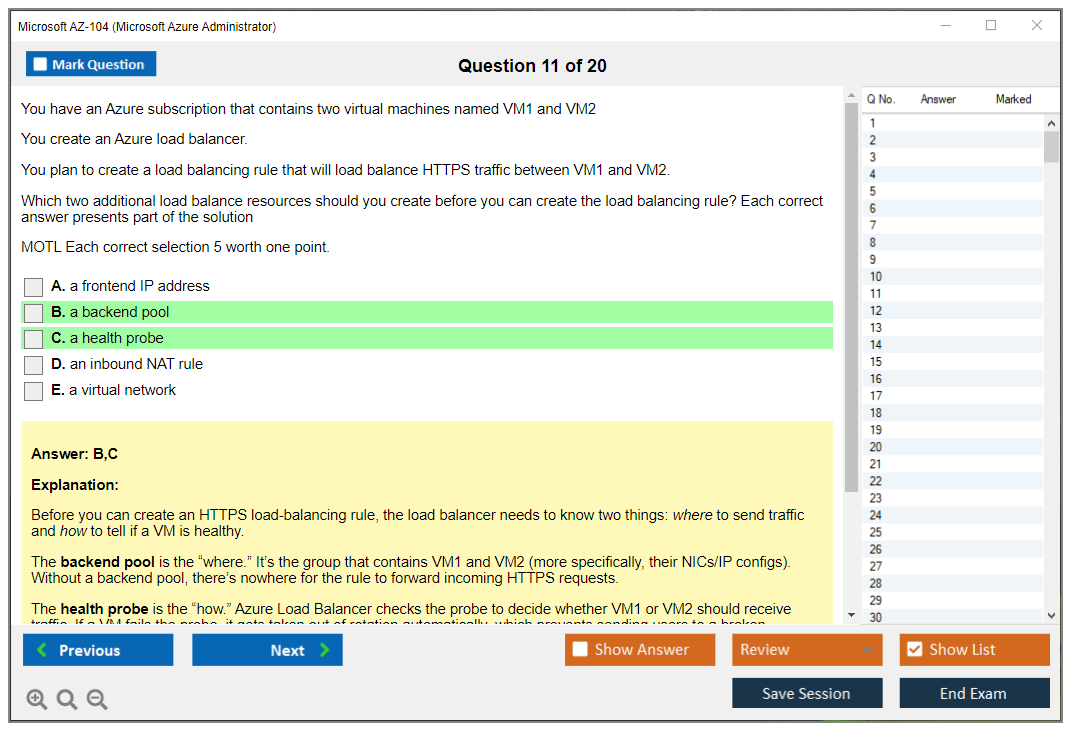
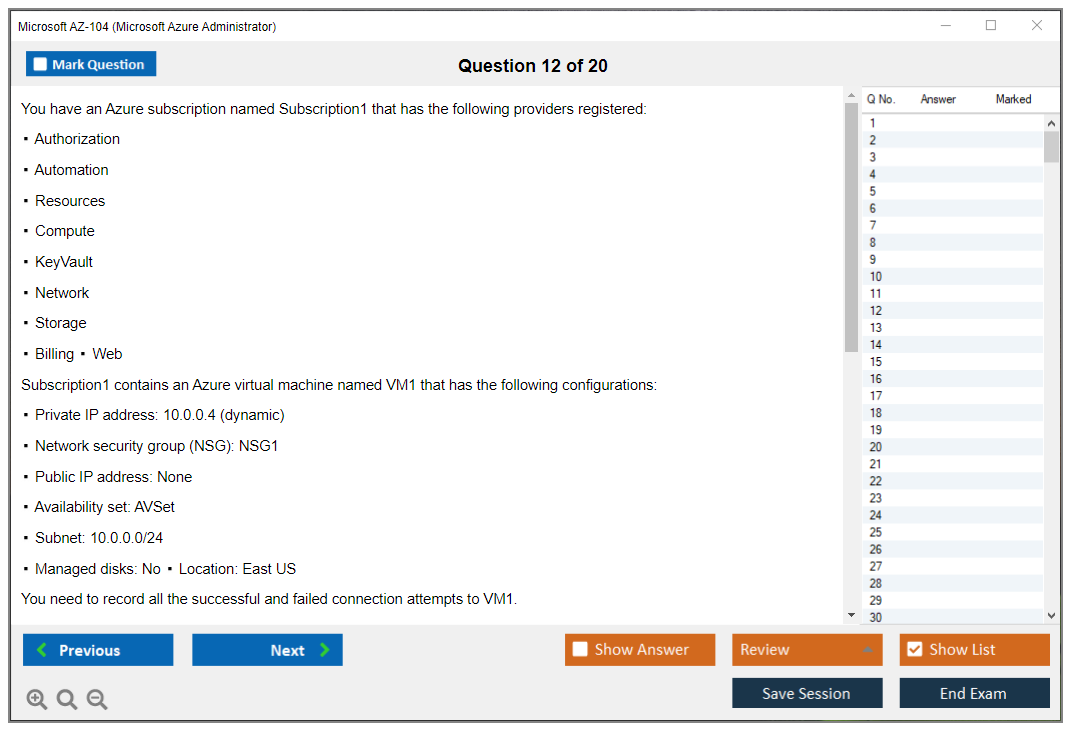
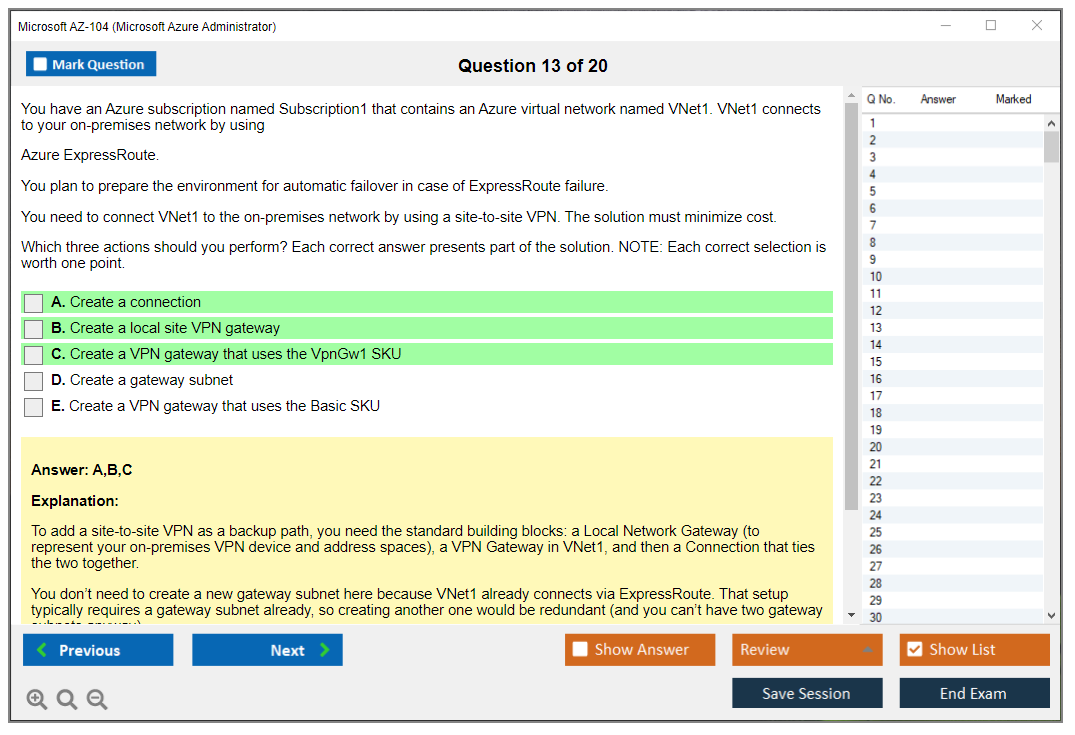
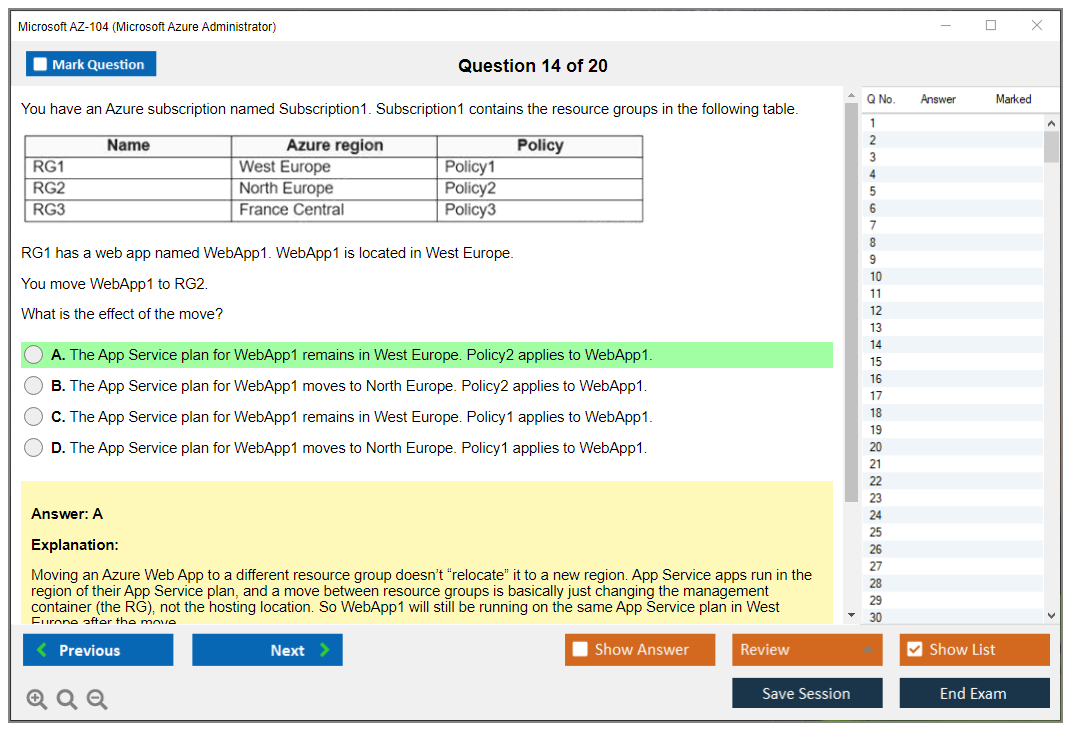
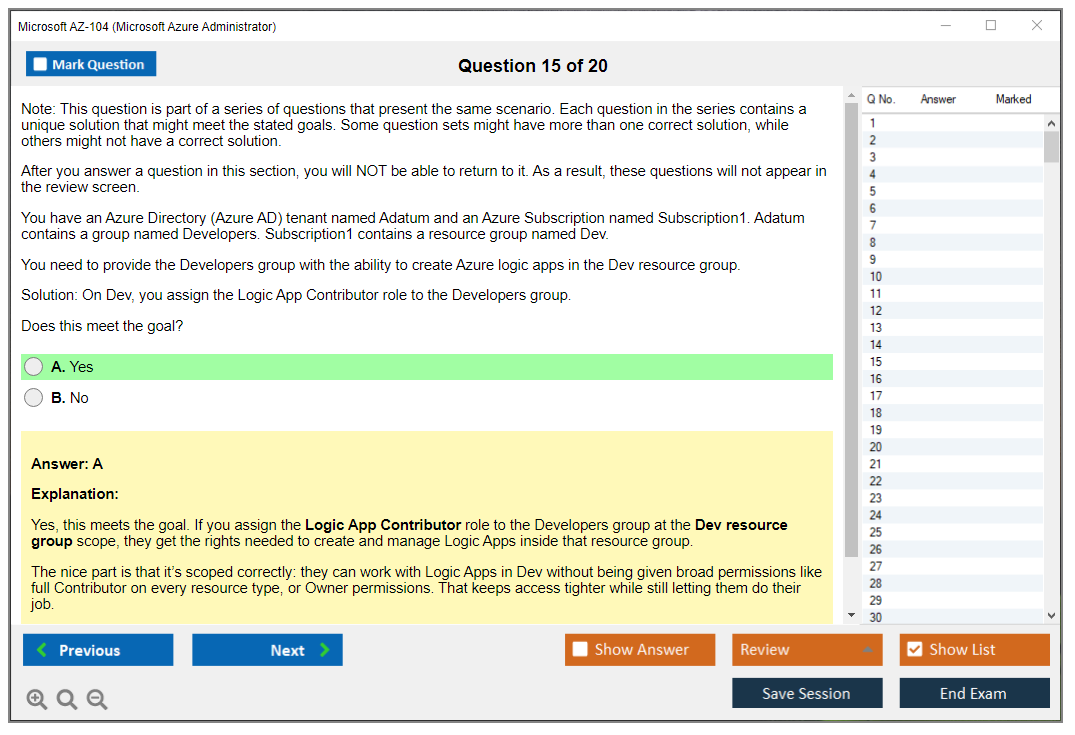
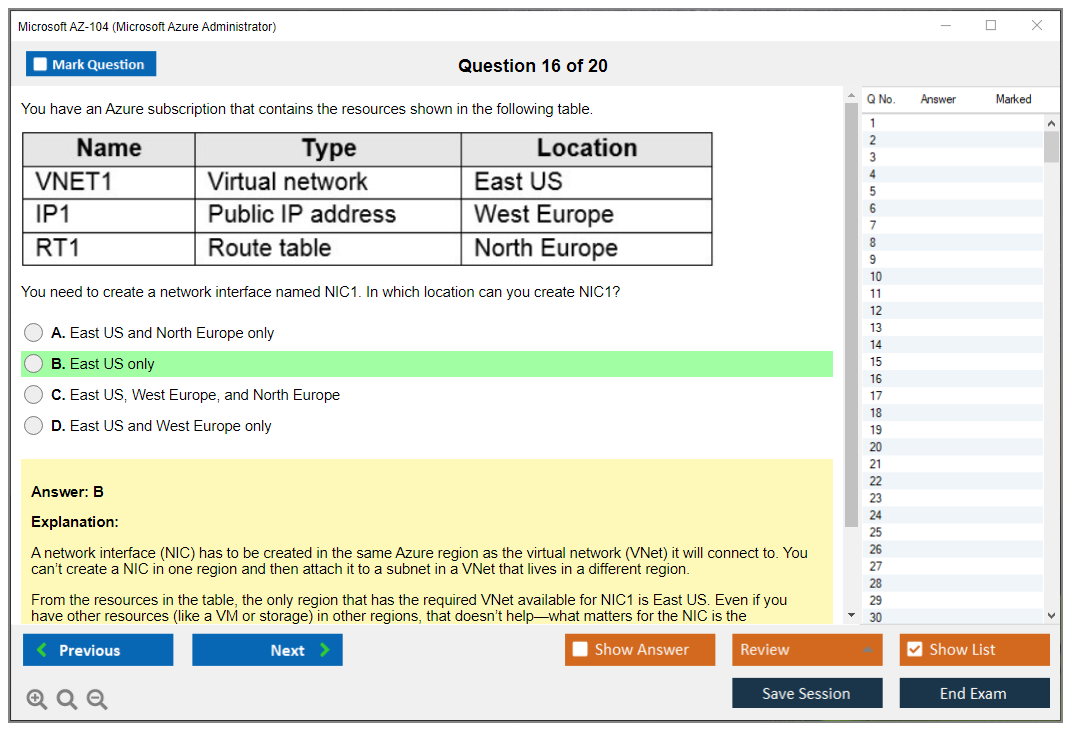
Microsoft AZ-104 (Microsoft Azure Administrator)
What is the Microsoft AZ-104 (Microsoft Azure Administrator) Certification?
The AZ-104 Microsoft Azure Administrator certification validates your ability to implement, manage, and monitor Microsoft Azure environments in real-world production scenarios. This isn't some theoretical knowledge dump, honestly. It's about proving you can actually handle Azure subscriptions, configure virtual networks, deploy VMs, and keep everything running without burning through someone's cloud budget like it's nothing.
You pass the AZ-104 exam? You earn the Microsoft Certified: Azure Administrator Associate credential. It's a mid-level cert that sits right between foundational stuff like AZ-900 and the expert-level tracks. This is where cloud careers start getting real traction.
Who should take AZ-104?
Azure administrators are the bread and butter of cloud operations. We're talking about IT pros who manage day-to-day Azure infrastructure. Think storage accounts, virtual machines, networking configs, identity management. If you're responsible for keeping Azure resources alive and well-governed across an enterprise, this cert basically stamps your resume with "I know what I'm doing."
System admins transitioning from on-prem to cloud should absolutely consider this. Same goes for infrastructure specialists implementing hybrid connectivity between datacenters and Azure. If you've been managing Windows Server environments and want to stay relevant, cloud admin skills aren't optional anymore. They're survival.
DevOps engineers often grab AZ-104 before moving into the AZ-400 (Microsoft Azure DevOps Solutions) track. Cloud engineers managing subscriptions and governance policies need it. Technical support folks providing tier-2 or tier-3 Azure support benefit from the credential. Network admins expanding into cloud networking, database admins dealing with Azure SQL or MySQL instances, security pros implementing conditional access and privileged identity management.. all solid candidates, really.
Microsoft recommends around six months of hands-on Azure experience before attempting the exam. Not gonna lie, that's actually reasonable. You could cram through in less time with enough caffeine and desperation, but you'll struggle with scenario-based questions if you haven't actually deployed resources, troubleshot networking issues, or dealt with RBAC headaches in production environments where mistakes cost money.
I've seen people try to skip the hands-on part entirely and just memorize dumps. Doesn't work. The exam shifts questions around enough that you need to actually understand what you're doing, not just recognize answer patterns.
What certification do you earn after passing AZ-104?
You get the Microsoft Certified: Azure Administrator Associate designation. This comes with a digital badge you can slap on LinkedIn, a downloadable certificate with a unique verification number, and an entry in your Microsoft Learn transcript. The badge shows up in Microsoft's certification dashboard, and employers can verify it through Microsoft's official portal.
Here's the catch. The certification expires after one year. Yeah, you heard that right. Annual expiration. Microsoft moved to annual renewals for role-based certs to keep people current with Azure's constant evolution (which honestly makes sense given how fast cloud changes). Renewal happens through a free online assessment in Microsoft Learn, no exam fee required. If you let it lapse, you lose the active credential status, though your transcript still shows you passed originally.
The AZ-104 also is foundational knowledge for advanced paths like AZ-305 (Designing Microsoft Azure Infrastructure Solutions) and the DevOps track. Some folks use it as a stepping stone toward Microsoft Certified Trainer (MCT) status if they meet the other requirements.
AZ-104 exam cost
The exam runs $165 USD in most markets. That's Microsoft's standard pricing for associate-level role-based certifications. Other regions might see different pricing based on local currency and taxes, but you're looking at roughly that ballpark everywhere.
If you fail? Retakes cost the same $165. Microsoft has a retake policy. You can attempt it again after 24 hours for your first retake. If you bomb it a second time, you're waiting 14 days before try number three (the thing is, after that, it's another 14-day wait between attempts). Honestly, that's enough motivation to actually prepare instead of just winging it and hoping multiple-choice luck carries you through.
Some training providers bundle exam vouchers with their courses, sometimes at a discount. Microsoft also occasionally runs promotions, especially around events like Microsoft Ignite or Build. Keep an eye out if budget's tight.
AZ-104 passing score
Microsoft doesn't publicly disclose the exact passing score anymore. It's scaled to 700 out of 1000 points, though. That's been the standard for most Microsoft cert exams. The scoring isn't straightforward though. Questions have different weights based on difficulty and importance, which means that question about VNet peering might count more than the basic storage tier question.
You'll see 40-60 questions depending on the exam form you get. Some are multiple choice, others are case studies, drag-and-drop, hotspot selections, or those build-list scenarios where you arrange steps in order. Performance-based questions where you complete tasks in a simulated Azure environment can appear too (and they're brutal if you haven't practiced).
Not every question counts. Microsoft includes unscored items for statistical analysis, but you won't know which ones those are. Just answer everything like it matters.
AZ-104 difficulty (what to expect)
Is AZ-104 harder than AZ-900?
Absolutely.
The fundamentals exam tests conceptual knowledge. What services exist, basic terminology, pricing models. AZ-104 assumes you already know that stuff and digs into configuration specifics, troubleshooting scenarios, and governance implementation that actually reflects what you'd face when your manager says "we need this working by end of day."
People with solid hands-on experience usually find it manageable but not easy. The scenario-based questions trip people up most often. You'll get situations like "Your company needs to implement network security for a multi-tier application with specific compliance requirements" and you need to choose the right combination of NSGs, application security groups, service endpoints, or private endpoints. And honestly, if you've never configured these in a real environment, you're guessing.
Common topics that wreck people:
Azure Policy versus RBAC and knowing when to use which for governance (they overlap conceptually but serve different purposes). Azure Backup versus snapshots versus geo-replication for different recovery scenarios. VNet peering configurations and routing with user-defined routes. Storage account access tiers and lifecycle management policies. Azure AD Connect sync options for hybrid identity.
The exam really tests whether you've actually configured these things or just read about them. You need to understand how services interact, not just what they do individually.
Official prerequisites (and what's actually required)
Microsoft lists no formal prerequisites. You don't need AZ-900 first, though many people take that route. You don't need other certs. Technically, anyone can register and take AZ-104.
But realistically?
You should have basic understanding of Azure concepts, some familiarity with PowerShell or Azure CLI, and experience with operating systems (Windows Server and Linux). Understanding networking fundamentals helps. Subnets, DNS, routing, firewalls. Basic Active Directory knowledge is useful since Azure AD builds on those concepts.
If you're coming from a background managing similar systems like 70-411 (Administering Windows Server 2012) or more recent server admin roles like AZ-800 (Administering Windows Server Hybrid Core Infrastructure), you'll have a decent foundation for the identity and governance portions.
Recommended hands-on skills (identity, storage, compute, networking, monitoring)
Get comfortable with Azure Portal, PowerShell, and Azure CLI. You don't need to be a scripting wizard, but you should be able to create resources and modify configurations through all three methods without constantly Googling syntax.
For identity, practice creating users and groups in Azure AD, assigning roles through RBAC, implementing multi-factor authentication, and setting up conditional access policies. Understand service principals and managed identities for application authentication.
Storage work includes creating storage accounts, configuring access tiers, implementing lifecycle policies, setting up blob versioning and soft delete, and configuring Azure File shares. Know the difference between LRS, ZRS, GRS, and RA-GRS replication. It comes up repeatedly.
Compute skills mean deploying VMs from templates, implementing availability sets and availability zones, configuring VM extensions, managing container instances, and deploying Azure App Service web apps. Understand when to use each compute option (this isn't always obvious from documentation alone).
Networking requires creating virtual networks, configuring subnets, setting up VNet peering, implementing network security groups, configuring Azure Firewall or application gateway, and establishing VPN or ExpressRoute connections for hybrid scenarios. Similar to what you'd see in AZ-700 (Designing and Implementing Microsoft Azure Networking Solutions) but at an admin rather than architect level.
For monitoring, work with Azure Monitor, Log Analytics workspaces, alerts, and action groups. Configure diagnostic settings, create workbooks, and understand how to query logs using KQL basics.
Manage Azure identities and governance
This section covers around 15-20% of the exam. You need to know how to create and manage Azure AD users, groups, and administrative units. Understand RBAC assignments at different scopes: management groups, subscriptions, resource groups, individual resources. Know built-in roles versus custom roles.
Azure Policy is huge here.
Create policy definitions, assign policies, understand initiatives, and interpret compliance results. Know how policy differs from RBAC. Policy controls what actions are allowed on resources, RBAC controls who can perform those actions (seems similar but functions completely differently in practice).
Management groups organize subscriptions hierarchically. Understand inheritance of policies and RBAC assignments through the management group structure.
Implement and manage storage
Storage accounts are foundational. Configure access tiers (hot, cool, archive), implement lifecycle management to automatically transition blobs between tiers, set up blob versioning and soft delete, configure shared access signatures and stored access policies.
Know Azure Blob storage types: block blobs, append blobs, page blobs. Understand when to use Azure Files versus Blob storage (it's not always interchangeable despite what some people think). Configure Azure File Sync for hybrid file storage scenarios.
Import/Export service and Azure Data Box come up for large data transfer scenarios. Understand AzCopy for command-line data transfer.
Deploy and manage Azure compute resources
VM deployment goes beyond just clicking "create." Understand ARM templates, availability sets versus availability zones, VM scale sets for auto-scaling, VM extensions for post-deployment configuration.
Container instances provide simple container hosting without orchestration overhead. Azure App Service covers web apps, API apps, and mobile backends. Know deployment slots for staging and production swaps.
Azure Functions for serverless compute appears occasionally, though AZ-104 focuses more on infrastructure than application development.
Configure and manage virtual networking
VNets and subnets form the foundation. Understand IP addressing, public versus private IPs, static versus dynamic assignment. Configure VNet peering for cross-VNet communication within or across regions.
Network security groups filter traffic at the network interface or subnet level. Application security groups simplify NSG rules for application-centric security. Azure Firewall provides centralized network security, while user-defined routes override default Azure routing.
VPN Gateway enables site-to-site, point-to-site, and VNet-to-VNet connections. ExpressRoute provides private connectivity bypassing the public internet. Azure DNS hosts DNS zones for name resolution.
Monitor and maintain Azure resources
Azure Monitor collects metrics and logs from resources. Log Analytics workspaces store log data and let you run queries using Kusto Query Language. Alerts notify you when conditions are met, triggering action groups that can send emails, SMS, run automation, or call webhooks.
Azure Backup protects VMs, files, SQL databases, and other workloads. Configure backup policies, understand recovery points, perform restores. Azure Site Recovery allows disaster recovery by replicating workloads to another region.
Understand diagnostic settings to route platform logs and metrics to storage accounts, event hubs, or Log Analytics. Network Watcher provides tools like IP flow verify, next hop, connection troubleshoot, and packet capture for network diagnostics.
Similar monitoring concepts appear in other admin tracks like DP-300 (Administering Relational Databases on Microsoft Azure) but focused on database workloads instead of infrastructure.
The AZ-104 exam replaced AZ-103 in March 2020 with updated objectives reflecting newer Azure services and removing deprecated features. The core admin responsibilities remain consistent though: implement, manage, monitor. That's the job.
AZ-104 Exam Overview
The AZ-104 Microsoft Azure Administrator certification is Microsoft's check on whether you can actually run Azure day to day, not just talk about cloud at a whiteboard. It's a full assessment across five major domain areas, and the vibe is very "here's the situation, pick what an admin would do" instead of "recite a definition from docs." Expect identity, storage, compute, networking, and monitoring to all show up, sometimes mixed together in the same scenario, because that's how the job works.
You're not being tested on trivia. You're being tested on judgment.
What is the Microsoft AZ-104 (Microsoft Azure Administrator) certification?
AZ-104 is the exam behind Microsoft Certified: Azure Administrator Associate. Look, if your job touches "administer Azure subscriptions and governance", builds or patches VMs, manages storage accounts, or gets paged when a virtual network route breaks, this is basically your core cert.
It maps pretty cleanly to enterprise admin work, where you're juggling cost, access, uptime, and "please don't break production" all at once. You need enough breadth to move around Azure without panicking every time a blade in the Portal changes.
Who should take AZ-104?
People already doing admin work. Junior cloud admins. Sysadmins moving from on-prem to Azure. Anyone who's expected to touch Azure identity and access management (IAM), RBAC, resource groups, and policies without asking a senior engineer for permission every five minutes.
Also, folks who passed AZ-900 and felt way too confident afterward. Honestly, AZ-900's awareness. AZ-104's execution.
What certification do you earn after passing AZ-104?
Pass AZ-104 and you earn Microsoft Certified: Azure Administrator Associate. That credential's widely recognized and it's one of the more useful "Associate" level certs because it lines up with real tickets: create users, lock down access, deploy compute, configure Azure virtual networks, set up backups, monitor alerts, fix what's broken.
AZ-104 exam overview
This is a computer-based exam delivered through Pearson VUE testing centers and also online proctoring. The online version's convenient, but the rules are picky, your desk needs to be clean, and one weird webcam moment can derail your day. Pick the format that matches your tolerance for stress.
The exam's available in multiple languages including English, Japanese, Chinese (Simplified), Korean, German, French, Spanish, Portuguese (Brazil), Arabic, Russian, Indonesian, and Italian. That helps a lot for global teams, though the technical terms still feel "Azure-ish" regardless of language.
Time matters. Two hours goes fast. Read carefully.
Microsoft lists the exam duration as 120 minutes (2 hours), and that includes time for reviewing instructions and providing feedback, so don't assume you get a full two hours of pure question time with zero overhead.
Typically you'll see 40 to 60 questions depending on the version and whatever testing logic's being used. Questions stay active in the pool and get updated regularly, which is Microsoft's way of saying your study plan shouldn't be "memorize last year's screenshots" because the UI and services keep shifting.
Exam format and question types
You'll get a mix. Some are classic multiple-choice with one correct answer out of four or five options. Some are multiple-response where you have to select all correct choices, and not gonna lie, those are where people bleed points because one missed checkbox ruins the whole thing.
Common formats you should expect:
- Case study scenarios with a business context and then a set of related questions. These can be long, and some of them can't be reviewed once you move on, so you need to slow down and actually understand the requirements, like region constraints, compliance needs, or network topology.
- Simulations and performance-based questions where you're basically configuring something in a fake Azure environment or Portal-like interface, and this is why hands-on experience matters. Guessing where a setting lives wastes time and confidence.
- Drag-and-drop, hot area, and build list questions, which are Microsoft's way of testing whether you know sequences and relationships. Ordering steps for enabling backups or matching a feature to the right service, plus the occasional "click the correct spot on the diagram" style item.
There's also a review screen that lets you mark questions and come back, but watch for sections (often case studies) that may lock after you answer. I mean, the exam may also adjust difficulty as you go, so if things start feeling harder, that's not automatically bad news. It might mean you're doing fine.
No penalty for guessing, so never leave anything blank. Unanswered is wrong. Same outcome, less chance.
Incidentally, I once sat next to someone at a testing center who spent the first twenty minutes just staring at the keyboard like it might offer hints. Don't be that person.
AZ-104 exam cost
The standard AZ-104 exam cost is $165 USD in the United States for general candidates, but pricing varies by country and currency. Students and Microsoft Imagine Academy folks sometimes qualify for discounted vouchers, and Microsoft Learn Cloud Skills Challenge events occasionally hand out free exam vouchers if you finish the challenge.
Partner benefits can change the game too. Microsoft Partner Network members may get discounted or even free exams through partner perks, and some corporate agreements include vouchers tucked into training budgets. Worth asking about before you pay out of pocket.
Retakes cost the same as the initial attempt, with no discounts for retakes, which hurts, so budget for it mentally. Practice tests and AZ-104 study materials are separate costs, and rescheduling or cancellation fees may apply if you change within 6 business days. No-shows are typically just money gone. Payment's usually credit card, debit card, or voucher code. Prices change, so always verify on the Microsoft Learn certification page before you click purchase.
AZ-104 passing score
The AZ-104 passing score is 700 on a scale of 1 to 1000. That's scaled scoring, not a straight percentage, and it's meant to smooth out difficulty differences between exam versions. Two people can face different question sets and the scoring still aims to be fair through psychometric analysis.
Your score report shows pass/fail plus a domain breakdown like "above target", "at target", or "below target." If you fail, that breakdown's your study map for the next attempt. It's telling you where your gaps are, not where you "feel" weak.
No partial credit. Some questions are weighted more than others. All scored questions matter.
AZ-104 difficulty (what to expect)
The AZ-104 exam difficulty is intermediate. It's more challenging than AZ-900 and less intense than expert-level exams, but it still punches people who only studied slides. The questions test hands-on application, and they love throwing in constraints like least privilege, cost control, resilience, and "this team needs access but only to this subscription and only during business hours."
Yes, is AZ-104 harder than AZ-900? Absolutely. AZ-900's vocabulary and concepts. AZ-104 expects you to actually operate Azure, understand trade-offs, and pick the best admin move when multiple answers look plausible.
Time management's a big deal, especially with case studies. Networking and identity sections are commonly reported as tough, and honestly I get why. You're often combining DNS, routes, NSGs, and RBAC in one messy scenario, like real life.
AZ-104 prerequisites and recommended experience
Microsoft doesn't enforce strict prerequisites, but the practical AZ-104 prerequisites are basically hands-on time. You need comfort in the Azure Portal, plus command-line tools like PowerShell and Azure CLI, and at least a basic infrastructure-as-code approach like ARM templates. Memorizing the docs isn't enough because the exam tests what you'd actually do, and how you'd do it safely.
Real admin energy. Muscle memory matters.
Official prerequisites (and what's actually required)
Officially, nothing stops you from booking the test. In reality, you should be able to create and manage resources, assign RBAC roles, configure policies, and troubleshoot basic connectivity issues without staring at the screen like it's a puzzle game.
If you're coming from old-school Microsoft admin land, the mental model shift's the hard part. If you've done Windows Server exams like 70-411 (Administering Windows Server 2012), you'll recognize the "admin tasks under pressure" style, but Azure adds subscription scoping, resource providers, and a lot more "permissions everywhere."
Recommended hands-on skills (identity, storage, compute, networking, monitoring)
You should be able to do Azure identity and access management (IAM) work like users, groups, service principals, managed identities, and RBAC scopes (management group, subscription, resource group, resource). The thing is, you should also be comfortable implementing storage accounts, containers, file shares, access keys vs SAS, and private endpoints.
Compute means VMs, VMSS basics, availability options, extensions, and patching strategy. Networking means you can configure Azure virtual networks, subnets, NSGs, UDRs, VPN gateways basics, and private connectivity patterns. Monitoring means you can monitor and back up Azure resources using Azure Monitor, Log Analytics, alerts, and Backup/Recovery Services vaults.
AZ-104 exam objectives (skills measured)
Microsoft breaks AZ-104 into five major domains. The percentages shift over time, but the categories stay consistent, and the exam content's updated periodically to reflect new services, deprecated features, and changing best practices. Questions are updated regularly, so keep your lab work current.
Manage Azure identities and governance
This is where you "administer Azure subscriptions and governance" for real: RBAC, policy, management groups, resource locks, tags, and access reviews. Expect scenarios about least privilege, separation of duties, and controlling who can create what where.
Implement and manage storage
Storage accounts, redundancy, lifecycle rules, access control, Azure Files vs blobs, and secure access patterns. They love asking about the safest way to grant temporary access, or how to restrict traffic without breaking apps.
Deploy and manage Azure compute resources
VM deployment options, images, disks, availability, scaling, and basic automation. You should know when a VMSS makes sense, what extensions do, and how to update without causing downtime.
Configure and manage virtual networking
VNet design, peering implications, NSGs, routes, DNS, and connectivity to on-prem. This is where reading the scenario carefully matters. One word like "must not traverse public internet" changes the whole answer.
Monitor and maintain Azure resources
Azure Monitor, alerts, logs, backup, update management patterns, and basic troubleshooting. If you've ever tried to explain to someone why "metrics" and "logs" aren't the same thing, you'll feel seen here.
Best AZ-104 study materials
If you're collecting AZ-104 study materials, keep it simple: Microsoft Learn plus labs plus targeted practice questions. That's the combo that matches how the exam thinks.
Microsoft Learn AZ-104 learning paths
Microsoft Learn's the best free core resource because it tracks AZ-104 exam objectives closely and it gets updated when Azure changes. I mean, it's also written in Microsoft's "marketing-doc tone," but the content's legit.
Instructor-led training and official course options
Good if you need structure and a calendar. Not always necessary if you can self-study, but for career changers, the forced pacing helps.
Documentation and labs (Portal, PowerShell, Azure CLI)
Docs are useful, but labs are where you actually learn. Build a tiny tenant setup, then practice doing the same tasks three ways: Portal, PowerShell, CLI. If you can't find a setting quickly, you're going to burn exam time on simulations.
Study plan (2 to 6 weeks vs 8 to 12 weeks)
If you already work in Azure, 2 to 6 weeks is realistic with daily practice and a couple AZ-104 practice tests. If you're new or coming from on-prem only, 8 to 12 weeks is more honest. You'll need repetition, not just exposure.
AZ-104 practice tests and exam prep strategy
Practice tests are useful when they teach, not when they just score you. You want explanations, references to docs, and updated question styles, because Microsoft keeps experimenting with formats.
How to choose reliable AZ-104 practice tests
Pick ones that explain why answers are right and why the tempting wrong ones are wrong. Avoid anything that looks like a brain dump. It's not worth it, and it doesn't teach you the skills the job needs anyway.
Common pitfalls and high-miss topics
Identity scope trips people up. Networking basics with DNS and routing trips people up. Backup and monitoring configuration details get missed because people study compute too hard and treat ops like an afterthought.
Also, ARM JSON. Not every question's ARM-heavy, but you should be comfortable reading it, especially for policy definitions and templates.
Hands-on lab checklist aligned to objectives
Create a subscription structure with management groups. Build a VNet with subnets, NSGs, and UDRs. Deploy a VM, attach a managed disk, set up Backup, then create an alert based on metrics and another based on log query. Add a policy that denies public IPs. Break something small on purpose and fix it.
That's the prep.
How to register and schedule the AZ-104 exam
Registration's through Microsoft's certification portal, then you schedule via Pearson VUE. You pick test center or online, pay with card or voucher, and lock in a time.
If you're also planning your broader track, you might look at adjacent admin paths like AZ-800 (Administering Windows Server Hybrid Core Infrastructure) or even database admin work like DP-300 (Administering Relational Databases on Microsoft Azure), because real enterprise roles often blend these skills.
Where to take the exam (online vs test center)
Online's comfy but strict. Test centers are boring but predictable. I prefer predictable when money and career goals are on the line, but your situation might be different.
Retake policy basics (what to know before booking)
If you fail, you have to wait 24 hours before retaking. Subsequent failures can trigger longer waiting periods. Retake fees are the same as the first attempt, so don't rush a retake without fixing the weak areas from the score report.
AZ-104 renewal and certification maintenance
Microsoft moved to renewals that are shorter and more frequent than the old "big recert exam every few years" style. Your AZ-104 renewal is handled through an online assessment on Microsoft Learn (open-book style), and it's free, but you still need to take it seriously because it checks whether you stayed current.
Keep it current. Don't procrastinate.
How Azure Administrator Associate renewal works
You complete the renewal assessment before expiration. It focuses on what changed and what matters now, which is fair. Azure changes constantly and your cert should mean you can operate today's services.
When to renew and what happens if it expires
Renew during the eligibility window Microsoft provides. If it expires, you typically have to earn it again by passing the full exam. That's a pain you can avoid with a calendar reminder.
AZ-104 FAQ
How much does the AZ-104 exam cost?
In the US, the AZ-104 exam cost is typically $165 USD, with regional pricing differences and occasional discounts or vouchers through programs like students, partners, or Microsoft challenges.
What is the passing score for AZ-104?
The AZ-104 passing score is 700 out of 1000 on a scaled score model, not a raw percentage.
Is AZ-104 harder than AZ-900?
Yes. Is AZ-104 harder than AZ-900? It's way more technical, expects hands-on skill, and tests real admin decisions.
What are the AZ-104 exam objectives and skills measured?
The AZ-104 exam objectives cover identity and governance, storage, compute, networking, and monitoring. It's broad, and some questions force you to connect multiple areas in one scenario.
How do I renew the Azure Administrator Associate certification?
Through the AZ-104 renewal assessment on Microsoft Learn during the renewal window. It's online and focused on current Azure changes.
How long should I study for AZ-104?
If you've been administering Azure already, a few weeks of focused prep can work. If you're building skills from scratch, give yourself a couple months and do labs constantly. Theory-only study usually collapses on the scenario questions.
Is AZ-104 worth it for Azure admin roles?
Honestly, yes, if you want Azure admin interviews to feel less like a guessing game. Recruiters recognize it, hiring managers respect it, and you learn the "Azure admin defaults" that companies expect, especially around IAM and networking.
What jobs use AZ-104 skills?
Azure administrator. Cloud operations engineer. Systems administrator in a hybrid environment. NOC/SRE-adjacent roles that manage incidents and monitoring. And if you're coming from older Microsoft admin tracks, it's a modern counterpart to the "keep the lights on" skillset you built with exams like 70-685 (70-685) or config management work like [70-243 (Administering and Deploying System Center 2012 Configuration Manager)](/microsoft-dumps/70-
AZ-104 Prerequisites and Recommended Experience
Official prerequisites (and what's actually required)
Microsoft lists exactly zero official prerequisites for the AZ-104 Microsoft Azure Administrator certification. Seriously. You could schedule the exam tomorrow if you want. No questions asked about your background or experience. They don't require you to pass AZ-900 (Azure Fundamentals) first, even though that's the entry-level cert. No mandatory training courses. Zero degree requirements. No specific job title needed. You don't even need to prove you've touched an Azure subscription before.
That's the official line, anyway.
But here's what's actually required if you want a realistic shot at passing: at least six months of hands-on Azure administration experience. I mean real experience where you're deploying resources, troubleshooting broken configurations that make no sense at first, and managing actual workloads in the Azure Portal instead of just clicking through sanitized tutorials. Microsoft recommends the AZ-900 as foundational knowledge, and honestly that's solid advice if you're completely new to cloud concepts. Starting with AZ-104 cold is technically possible but you'll be fighting an uphill battle against terminology and concepts that AZ-900 covers in a gentler way.
The exam assumes you understand operating systems, networking fundamentals, virtualization, and server administration concepts. If terms like subnet mask, DNS zone, load balancer, or virtual machine hypervisor make you nervous, you'll struggle. Experience with on-premises infrastructure helps a ton because Azure services often mirror traditional datacenter components. Understanding how a physical network works makes configure Azure virtual networks way easier to grasp. Knowing Windows Server or Linux administration translates directly to managing Azure VMs.
You need comfort with PowerShell or Azure CLI. Not expert-level scripting, but enough to read commands and understand what they're doing. Same deal with JSON format since ARM templates and policy definitions use it heavily. The thing is, basic scripting knowledge means you won't freeze when exam questions show code snippets. If you've worked with database concepts, storage systems, or identity management (Active Directory, LDAP, that kind of thing), those skills carry over directly.
Recommended hands-on skills across exam domains
The AZ-104 exam objectives break down into five major domains, and you need practical experience in all of them. Not surface-level "I clicked through a tutorial once" experience. Real troubleshooting experience where things broke and you had to fix them.
Identity and governance means creating Azure AD users and groups through both the Portal and PowerShell. You should be able to configure Azure AD Connect for hybrid identity scenarios where you're syncing on-premises Active Directory to Azure AD. Setting up self-service password reset and multi-factor authentication needs to be second nature. Assigning RBAC roles at different scopes (subscription, resource group, individual resource) and understanding the inheritance model matters a lot. Conditional access policies that enforce security based on user location, device compliance, or sign-in risk appear frequently. I mean the exam loves testing whether you understand the difference between Azure AD roles and Azure RBAC roles because candidates mix those up constantly.
Storage questions require hands-on experience creating storage accounts with different performance tiers (Standard vs Premium) and redundancy options (LRS, ZRS, GRS, RA-GRS). Honestly, you need to know blob containers, file shares, queues, and tables inside and out because the exam doesn't go easy on storage scenarios. Configuring storage account firewalls and virtual network service endpoints shows up regularly. Blob lifecycle management policies for automated tiering and deletion are tested. Azure File Sync for hybrid scenarios where you're connecting on-premises file servers to Azure Files with cloud tiering enabled. Not gonna lie, storage questions trip people up because there are so many configuration options and the differences between them matter for specific scenarios.
Compute is huge. Deploying VMs through Portal, PowerShell, CLI, and ARM templates needs to be muscle memory. Virtual machine scale sets with autoscaling rules based on CPU metrics or custom metrics. Azure App Service deployments with deployment slots for staging and production swaps. Container instances and basic AKS knowledge (you don't need to be a Kubernetes expert but understanding pods and services helps). Azure Functions for serverless scenarios. VM extensions and custom script extensions for post-deployment configuration. The exam tests whether you can choose the right compute option for different scenarios, not just memorize feature lists.
Networking is where many candidates hit a wall. Wait, let me rephrase that. It's where most people absolutely crash and burn. Configure Azure virtual networks with proper address space planning and subnet design. Network security groups with inbound and outbound rules, understanding how they evaluate traffic. Virtual network peering for connecting VNets in the same or different regions (and knowing the difference between global and regional peering). VPN Gateway configuration for site-to-site and point-to-site connectivity. Azure Load Balancer for distributing traffic across backend pools. Application Gateway with web application firewall capabilities. User-defined routes and route tables for custom traffic steering. If your networking fundamentals are shaky (TCP/IP, DNS, routing concepts), you'll struggle here because Azure networking builds on those foundations.
Monitoring and backup covers Azure Monitor metrics, logs, and alerts. You need experience with Log Analytics workspaces and writing basic KQL queries to extract information from logs. Diagnostic settings that route platform logs and metrics to storage accounts, event hubs, or Log Analytics. Action groups for alert notifications through email, SMS, webhooks, or automation runbooks. Azure Backup for protecting VMs, file shares, and SQL databases. Azure Site Recovery for disaster recovery scenarios with replication and failover testing. The monitoring domain gets overlooked during study but it's a solid chunk of exam questions.
If you've worked with similar technologies from AWS or other cloud providers, some concepts transfer but not everything. Azure-specific terminology and service names differ enough that you can't just wing it based on general cloud knowledge. The AZ-104 Practice Exam Questions Pack helps identify gaps in your Azure-specific knowledge before you schedule the real exam.
Building practical experience for exam success
Getting hands-on experience means actually using Azure, not just reading about it. Free tier subscriptions work fine for exam prep since most services have free tiers or low-cost options for testing. Start by deploying basic resources through the Portal, then repeat the same deployments using PowerShell and Azure CLI to understand different management approaches.
Create scenarios that mirror real-world admin tasks. Set up a virtual network with multiple subnets. Deploy VMs in different subnets. Configure NSG rules to control traffic between them. Break things intentionally, then figure out how to fix them. That's how you learn troubleshooting, which the exam tests heavily.
Follow Microsoft Learn modules for the AZ-104 learning path. Not because they're exciting (they're not), but because they provide structured labs that cover exam objectives in a systematic way. The labs give you temporary Azure subscriptions with pre-configured scenarios, which saves money if you're on a tight budget.
Practice implementing Azure identity and access management (IAM) scenarios. Create custom RBAC roles with specific permissions. Set up Azure AD groups with dynamic membership rules. Configure Azure AD Application Proxy for publishing on-premises web apps. Identity questions make up a big chunk of the exam and candidates often underestimate how much depth is tested.
Storage scenarios need variety. Create storage accounts with different configurations, then test how those configurations affect behavior. Set up blob lifecycle policies and watch them actually move blobs between access tiers. Configure Azure File Sync between an on-premises server (or a VM simulating one) and Azure Files. Understanding how storage behaves under different configurations matters more than memorizing feature lists.
Deploy compute resources repeatedly until it becomes automatic. Create VMs with different OS options and sizes. Set up VM scale sets with autoscaling rules and test how they respond to load. Deploy web apps to App Service and practice slot swaps. The more you deploy, the more you'll understand the dependencies and configuration options that exam questions test.
Networking requires the most hands-on time because it's conceptually dense. Honestly, it's where people with strong server backgrounds sometimes struggle because cloud networking behaves differently than physical switches and routers in ways that aren't immediately obvious. Build hub-and-spoke network topologies with peering. Configure route tables to direct traffic through network virtual appliances. Set up VPN gateways and test connectivity. Deploy Azure Firewall or Application Gateway and configure rules. I once spent two hours troubleshooting a peering issue only to realize I'd forgotten to enable gateway transit on the hub VNet. Stupid mistake, but that's the kind of thing you only learn by doing. Networking scenarios on the exam often combine multiple concepts, so you need to understand how components interact.
Set up monitoring for your test resources in detail. Create alert rules that trigger on specific conditions. Write KQL queries to analyze logs in Log Analytics. Configure diagnostic settings for different resource types. Test Azure Backup by actually backing up VMs and file shares, then performing test restores. Monitoring questions often test whether you understand the data flow and configuration requirements, not just feature names.
If you're transitioning from on-premises administration roles, look at the AZ-800 (Administering Windows Server Hybrid Core Infrastructure) and AZ-801 (Configuring Windows Server Hybrid Advanced Services) exams since they cover hybrid scenarios that connect traditional infrastructure to Azure. For database-focused admins, the DP-300 (Administering Relational Databases on Microsoft Azure) builds on Azure administration skills with database-specific depth.
Study time varies wildly based on your background. Complete Azure beginners might need 100+ hours of study and hands-on practice. IT professionals with on-premises experience but no cloud background typically need 60-80 hours. People with some Azure exposure might get by with 40-50 hours of focused study. Don't rush it. The exam tests practical knowledge that only comes from actually doing the work, not from cramming documentation the night before.
The official "no prerequisites" policy is technically true but practically misleading. You can pass AZ-104 without prior certifications, but you can't pass it without real experience administer Azure subscriptions and governance and actually managing Azure resources. Build that experience deliberately through hands-on labs, break things and fix them, and you'll be in much better shape than candidates who just memorize dumps and hope for the best.
AZ-104 Exam Objectives (Skills Measured)
What is the Microsoft AZ-104 (Microsoft Azure Administrator) certification?
The AZ-104 Microsoft Azure Administrator certification is the core "working admin" credential for people who actually touch production Azure. Not architects drawing boxes. Not developers only shipping code. It's for the folks who create the subscriptions, lock stuff down, wire networks, keep VMs alive, and get paged when storage access breaks at 2 a.m.
It's practical. It's broad. Very job-shaped, if you think about it.
Who should take AZ-104?
If your day includes tickets like "add this user to the right group," "why can't this VM reach that private endpoint," or "costs spiked overnight," you're the audience. Same if you're moving from help desk or junior sysadmin into cloud admin and you need something that proves you can administer Azure subscriptions and governance, not just talk about it.
What certification do you earn after passing AZ-104?
Passing AZ-104 earns Microsoft Certified: Azure Administrator Associate. That's the badge hiring managers recognize when they want an Azure admin who can handle identity, storage, compute, networking, and monitoring without hand-holding. The thing is, you need to actually demonstrate through scenarios that feel uncomfortably close to real incidents where everything's broken and Finance is asking questions you don't have answers to yet.
AZ-104 exam overview
AZ-104 gets organized around real admin tasks, and that's why it can feel "messy" compared to entry exams. You'll get scenarios where one question quietly tests five things at once because a production incident never shows up labeled "this is an RBAC-only problem." It shows up as "app can't read blob, fix it, and don't break compliance."
Exam format and question types
Expect multiple choice, case studies, drag-and-drop, and "choose all that apply." Some items are straight. Some are basically mini incident response. Questions may combine multiple objectives in a single scenario requiring integrated knowledge, so you'll bounce between Azure identity and access management (IAM), networking, storage, and monitoring in one sitting.
AZ-104 exam cost
AZ-104 exam cost varies by country or region, but it's commonly around USD $165. Check the official exam page for your locale because Microsoft pricing isn't consistent worldwide and tax rules differ.
AZ-104 passing score
AZ-104 passing score is 700 on a 1000-point scale. Microsoft doesn't publish a simple "you need X questions right" because items are weighted and not all questions are equal.
AZ-104 difficulty (what to expect)
AZ-104 exam difficulty is a step up from AZ-900, no contest. AZ-900 tests vocabulary and concepts. AZ-104 tests "do the work." People fail AZ-104 because they studied like it was trivia night, then got hit with questions that require knowing when to use specific Azure services versus alternatives, plus how those choices affect security, cost, and operations. Not gonna sugarcoat it.
AZ-104 prerequisites and recommended experience
There are "official prerequisites" and then there's reality. Reality's what passes exams.
Official prerequisites (and what's actually required)
Microsoft doesn't require you to pass AZ-900 first. There's no hard gate. You should understand basic Azure terms, subscription structure, and common services before you grind practice tests, otherwise you'll spend weeks just translating the question.
Recommended hands-on skills (identity, storage, compute, networking, monitoring)
Hands-on experience with each objective area matters for passing. Portal-only knowledge isn't enough. You need comfort with Azure Portal, PowerShell, and Azure CLI, because the exam loves "how would you do this quickly and correctly at scale," and that usually means command line or at least understanding what the portal's doing behind the scenes. You should be able to configure Azure virtual networks. You should know how to monitor and back up Azure resources without guessing.
AZ-104 exam objectives (skills measured)
The AZ-104 exam objectives get organized into five major functional groups, which some people call domains. Each domain carries a different weight and contributes a specific percentage to your overall score. Those percentages change sometimes, so verify the current version on Microsoft Learn before you build a study plan around old numbers. Another thing people miss: objectives get updated periodically. Microsoft will absolutely tweak what they test as Azure changes, so always check the official skills outline right before you start studying and again right before exam week.
The exam measures your ability to accomplish technical tasks rather than memorize definitions. That's the whole vibe. The skills tested reflect real responsibilities of Azure administrators in enterprise environments, including governance, cost, access control, uptime, data protection, and keeping the platform clean.
Manage Azure identities and governance
This domain's where a lot of "new cloud admins" get humbled because identity and governance is half policy, half mechanics, and all consequences. You'll manage Azure AD objects including users, groups, devices, and service principals. You'll create and configure users and groups using Azure Portal, PowerShell, and Azure CLI. They can ask the same task three different ways depending on whether you're doing it once, doing it for 500 users, or doing it with least privilege.
You also need to manage user and group properties like profile information, licenses, and group memberships. Then comes self-service password reset. Configure SSPR with authentication methods and registration requirements, and understand the "gotchas" like which users are enabled, what methods are allowed, and what happens when a user never registered.
External identities show up too. Implement and manage B2B guest users and external collaboration settings. That can mean invitation settings, access restrictions, and knowing when a guest's the right call versus spinning up a full member account in a controlled tenant.
Devices matter as well. Configure Azure AD join and device registration for Windows 10 or Windows 11 devices. Know the practical difference between "registered," "joined," and "hybrid joined," because troubleshooting depends on it.
On the governance side, you'll manage Azure subscriptions and governance policies across an org hierarchy. Configure management groups to organize subscriptions and apply governance at scale. Implement Azure Policy to enforce standards and compliance. This includes policy definitions, initiatives, and assignments at the right scope. Scope matters more than people think. Wrong scope equals surprise outages.
RBAC gets tested heavily. Implement and manage Azure RBAC with built-in and custom roles. Assign roles at subscription, resource group, and resource levels with proper scope. And don't skip auditing. Analyze role assignments and access reviews for security and compliance, because enterprises care who had access, when, and why.
Two more governance tools show up often: resource locks and tagging. Configure resource locks to prevent accidental deletion or modification of critical resources. Configure resource tags for organization, cost allocation, and automation. Tags are boring until Finance asks why one team's dev sandbox costs more than prod. I've seen that meeting. It's not fun.
Blueprints and cost management are also part of the admin reality. Implement Azure Blueprints for repeatable deployments with governance controls. Manage subscription costs using budgets, alerts, and cost analysis. The rest worth noting: Azure Advisor recommendations, tenant-level settings, and standardization patterns can appear depending on the current objective version.
Implement and manage storage
Storage's where AZ-104 gets very real, very fast. You need to configure storage accounts with the right performance tier, Standard or Premium, and understand why you'd pick one. Premium costs more but changes performance and feature behavior depending on the storage type.
Replication strategy is a classic exam trap because it's easy to memorize acronyms and still answer wrong. Select LRS, ZRS, GRS, RA-GRS, GZRS based on durability and availability needs. Pay attention to region pairing and read access requirements. If a scenario says "must read during region outage," that's nudging you toward RA options, not just "some geo thing."
Blob storage access tiers matter too. Implement Hot, Cool, and Archive decisions, and tie them to lifecycle policy. Configure blob lifecycle management policies for automatic tiering and deletion. That's not theory. That's cost control with guardrails.
Networking for storage is big now. Configure storage account networking including firewalls, virtual network rules, and private endpoints. Private endpoints show up constantly because enterprises want storage off the public internet. Keys and SAS are also required. Manage storage account access keys and implement shared access signatures with the right permissions and expiry. Then add Azure AD authentication for blob and queue access, because "stop using keys everywhere" is a common security push.
You'll implement blob storage details: containers, access levels, blob types (block, append, page). Page blobs still matter for some disk and legacy patterns, and append blobs pop up in logging scenarios.
Azure Files shows up too. Implement file shares, snapshots, access tiers where applicable, and configure Azure File Sync for hybrid file servers with cloud tiering and sync groups.
Data protection is part of the objective set: implement storage redundancy and backup strategies, plus configure soft delete for blobs and file shares. Soft delete is one of those "save your job" features when someone wipes a container and swears they didn't.
Deploy and manage Azure compute resources
Compute is broad. Expect VMs, VM scale sets, availability options, and day-2 operations like resizing, patching approaches, and extensions. You should be comfortable choosing between VM types, understanding managed disks, and dealing with boot diagnostics and serial console type troubleshooting when a box won't come up.
Containers and app hosting can appear depending on the current objective revision. Don't over-index on Kubernetes admin stuff though. This exam focuses on admin work, not AKS operator work. What matters is knowing which compute option fits the requirement and how you'd deploy and manage it in Azure.
Configure and manage virtual networking
If you can't configure Azure virtual networks, you will feel pain on AZ-104. You need VNet basics, subnets, NSGs, route tables, DNS options, and peering. Private endpoints tie right back into storage and PaaS services, so this domain bleeds into others by design.
VPN gateways, ExpressRoute concepts, and load balancing patterns can show up too. The exam loves "connectivity plus security" questions where you need to pick the right combo of NSG rules, UDRs, and private access to meet a requirement without exposing services publicly.
Monitor and maintain Azure resources
Monitoring isn't a "nice to have" domain. You'll work with Azure Monitor, Log Analytics workspaces, alerts, action groups, and dashboards or workbooks. You should understand what metrics are versus logs, and when each is the right tool.
Maintenance includes backup and recovery patterns, update management concepts, and using tools like Azure Backup and Recovery Services vaults where applicable. Also expect governance-adjacent monitoring like activity logs, resource health, and basic incident triage. This is where the exam checks if you can keep things running, not just build them once.
Best AZ-104 study materials
AZ-104 study materials are pretty good if you combine the official stuff with hands-on reps.
Microsoft Learn AZ-104 learning paths
Microsoft Learn provides free training modules aligned to each exam objective. That alignment is the biggest win because you're not guessing what matters. Use the modules, but don't treat them like the whole plan.
Instructor-led training and official course options
If you learn better with structure, Microsoft's instructor-led options (often based on AZ-104 courseware) can speed things up. Pricey sometimes. Helpful if you need deadlines.
Documentation and labs (Portal, PowerShell, Azure CLI)
Docs matter because the exam is picky about what features do today, not what they did two years ago. Practice labs and sandboxes allow safe experimentation with Azure services, and you should use them. Spin up a storage account, lock it down with private endpoints, break access, fix access. Do the same for RBAC scopes. That muscle memory is what saves you.
Study plan (2 to 6 weeks vs 8 to 12 weeks)
If you already do Azure admin work, 2 to 6 weeks is realistic with focused labs. If you're new to Azure, 8 to 12 weeks is more sane because you need repetition, not cramming.
AZ-104 practice tests and exam prep strategy
AZ-104 practice tests help, but only if they're reputable and explain why answers are right. Avoid brain dumps. They teach you the wrong habits and can get you banned.
How to choose reliable AZ-104 practice tests
Pick ones that map to the current skills outline, include scenario-style items, and provide references back to docs. If a practice test can't explain RBAC scope reasoning or storage replication tradeoffs, it's not worth your time.
Common pitfalls and high-miss topics
RBAC scope mistakes. Storage networking defaults. Confusing Azure AD auth versus SAS. Cost management tools people ignore until the exam asks about budgets and alerts. Policy effects and where assignments apply.
Hands-on lab checklist aligned to objectives
Do at least one lab each for: creating users and groups via CLI, SSPR config, guest user invite settings, management groups plus policy assignment, custom RBAC role, storage account with private endpoint, SAS with least privilege, lifecycle policy, Azure Files plus snapshot, and alerting from Log Analytics. Worth doing but less critical: VM deployment with diagnostics, NSG plus UDR troubleshooting, backup restore test.
How to register and schedule the AZ-104 exam
Where to take the exam (online vs test center)
You can take it online with remote proctoring or at a test center. Online is convenient. Test center is calmer if your home setup is noisy or your internet is flaky.
Retake policy basics (what to know before booking)
Microsoft has a retake policy with waiting periods that increase after multiple failures. Read it before booking so you don't trap yourself with a tight deadline.
AZ-104 renewal and certification maintenance
How Azure Administrator Associate renewal works
AZ-104 renewal is done through Microsoft's free online renewal assessment on Microsoft Learn for the Associate certification. No fee, open-book style, and focused on what changed.
When to renew and what happens if it expires
Renewal opens within the window before expiration (typically six months). If it expires, you usually have to pass AZ-104 again to regain the certification, so set a reminder and just knock out the renewal early.
AZ-104 FAQ
How much does the AZ-104 exam cost?
The AZ-104 exam cost is commonly around $165 USD, but your exact price depends on region and taxes. Always verify on the official Microsoft exam page.
What is the passing score for AZ-104?
The AZ-104 passing score is 700 out of 1000.
Is AZ-104 harder than AZ-900?
Yes. Is AZ-104 harder than AZ-900? It's not even close. AZ-900 checks that you know what Azure is. AZ-104 checks that you can run it.
What are the AZ-104 exam objectives and skills measured?
They're the five domains above, each weighted differently. They focus on task execution across identity and governance, storage, compute, networking, and monitoring. Current exam objective weightings are subject to change, so confirm the latest percentages on Microsoft Learn.
How do I renew the Azure Administrator Associate certification?
Use the free renewal assessment on Microsoft Learn during your renewal window. Finish it, pass it, and your certification stays active without paying another exam fee.
Conclusion
Wrapping up your AZ-104 path
Okay, so here's the deal.
Passing the AZ-104 Microsoft Azure Administrator certification isn't some memorization game where you cram commands or click around the Azure portal like it's a video game tutorial. It's about demonstrating you've got what it takes to really administer Azure subscriptions and governance, wrangle Azure identity and access management (IAM), configure Azure virtual networks, and monitor plus back up Azure resources when things actually matter in live production environments. I mean, that's what hiring managers zero in on when Microsoft Certified: Azure Administrator Associate pops up on your resume, right?
The AZ-104 exam difficulty? Real talk. It's legit tough.
Don't buy into anyone saying it's a breeze just 'cause you sailed through AZ-900. You need hands-on time. No shortcuts. The AZ-104 exam cost hovers around $165, which honestly isn't pocket change, and with the AZ-104 passing score locked at 700 out of 1000, you can't just waltz in unprepared thinking you'll wing it and somehow pull through.
Here's what I've personally seen work: you mix solid AZ-104 study materials (Microsoft Learn paths are free and they're actually excellent, though people underestimate them), get your hands properly dirty in a sandbox subscription, and absolutely don't skip AZ-104 practice tests. The exam objectives span five major domains. Networking or governance weaknesses? They'll wreck you. Those topics appear constantly.
One thing about AZ-104 prerequisites. Technically there aren't strict ones officially listed, but six months of genuine hands-on Azure experience creates this massive difference between struggling through confusing questions versus confidently demolishing them without second-guessing yourself. Once you pass, the AZ-104 renewal requirement kicks in after a year, so bookmark that free renewal assessment now.
Before scheduling, make sure you're consistently scoring above 85% on quality practice exams mirroring the actual question formats. Not gonna sugarcoat it. The case studies and scenario-based questions trip people up way more than straightforward multiple-choice ones ever do. My buddy Steve thought he had it nailed after three weeks of study, scheduled his exam, walked out halfway through feeling like he'd just tried to read ancient Greek. He passed on the second attempt, but those extra weeks and another $165 stung.
If you're hunting for realistic preparation that really reflects what you'll encounter on exam day, check out the AZ-104 Practice Exam Questions Pack. It's built around current exam objectives and includes detailed explanations helping you grasp why answers work, not just memorizing what they are without context. That deeper understanding separates people who barely pass from people who truly crush it and step into Azure admin roles ready to contribute from day one.

Az-104 Questions is a comprehensive test preparation tool that includes more than 1000 real questions and answers, with detailed explanations of all test topics.